Why Furniture 3D Rendering Is the Best Choice for You
Create perfect furniture images without studio rentals, photographer fees. With Furniture 3D Rendering, you can reduce costs while increasing sales.

Have you chosen a 3D rendering tool instead of traditional product photo shoots for your product detail pages? If so, congratulations.
Today, we’ll explain why Furniture 3D Rendering is a better choice for furniture brands—and the specific reasons behind it.
What is Furniture 3D Rendering? Furniture 3D Rendering is the process of creating photorealistic images of furniture in a virtual 3D space using computer graphics technology.
Furniture Photography vs. Furniture 3D Rendering
Why is the latter the better option? Let’s take a closer look at each factor.
1) Cost
When you conduct a traditional furniture photo shoot, costs arise from multiple areas.
- Studio rental costs: You need to rent a studio with proper lighting and sufficient space. For large furniture items, larger studios are required, which significantly increases costs.
- Photographer hiring fees and equipment rental costs: Professional product photographers charge high hourly rates, often costing several hundred dollars per hour. The more experienced the photographer, the harder it is to secure their schedule. Add lighting and equipment rentals, and costs rise even further.
- Product transportation and setup costs: Heavy furniture must be transported to and from the studio. On top of logistics expenses, time and manpower are required for setup and teardown.
- Reshoot costs: If the results aren’t satisfactory or additional angles are needed, a reshoot is required. This means repeating all of the above steps again—effectively doubling the cost.
In contrast, 3D rendering can reduce these expenses to about one-tenth.
- Studio rental costs: Not required. You simply create a virtual environment. Any space or atmosphere you want can be built with just a few clicks.
- Photographer hiring fees and equipment rental costs: Also unnecessary. Lighting adjustments can be handled directly within the 3D rendering tool. What once took a professional photographer hours to set up can now be adjusted instantly with a single slider.
- Product transportation and setup costs: There’s no need to move heavy furniture at all. Digital models have no weight or physical volume. With one click, you can place them in any space you want.
- Reshoot costs: This is where the real difference appears. Once the 3D modeling is complete, you can endlessly change angles, adjust lighting, and create different color versions—at no additional cost. When a client says, “Can we get one more angle?” it only takes a few minutes.
2) Image Quality
It’s not just about lower costs. Some Furniture 3D Rendering tools also deliver excellent image quality. Many people assume real photography always produces better results, but that’s not always true. The quality can vary.
From hands-on experience with product photography, we’ve seen that, even with real shoots, results often fall short of expectations.
- Lighting brightness, color tones, and atmosphere at the shoot location don’t always translate well into the final image. Sometimes, photos turn out overly bright or too dark, making the original image itself look awkward.
- There’s another issue as well. Being too realistic means capturing undesirable aspects of reality with excessive clarity.
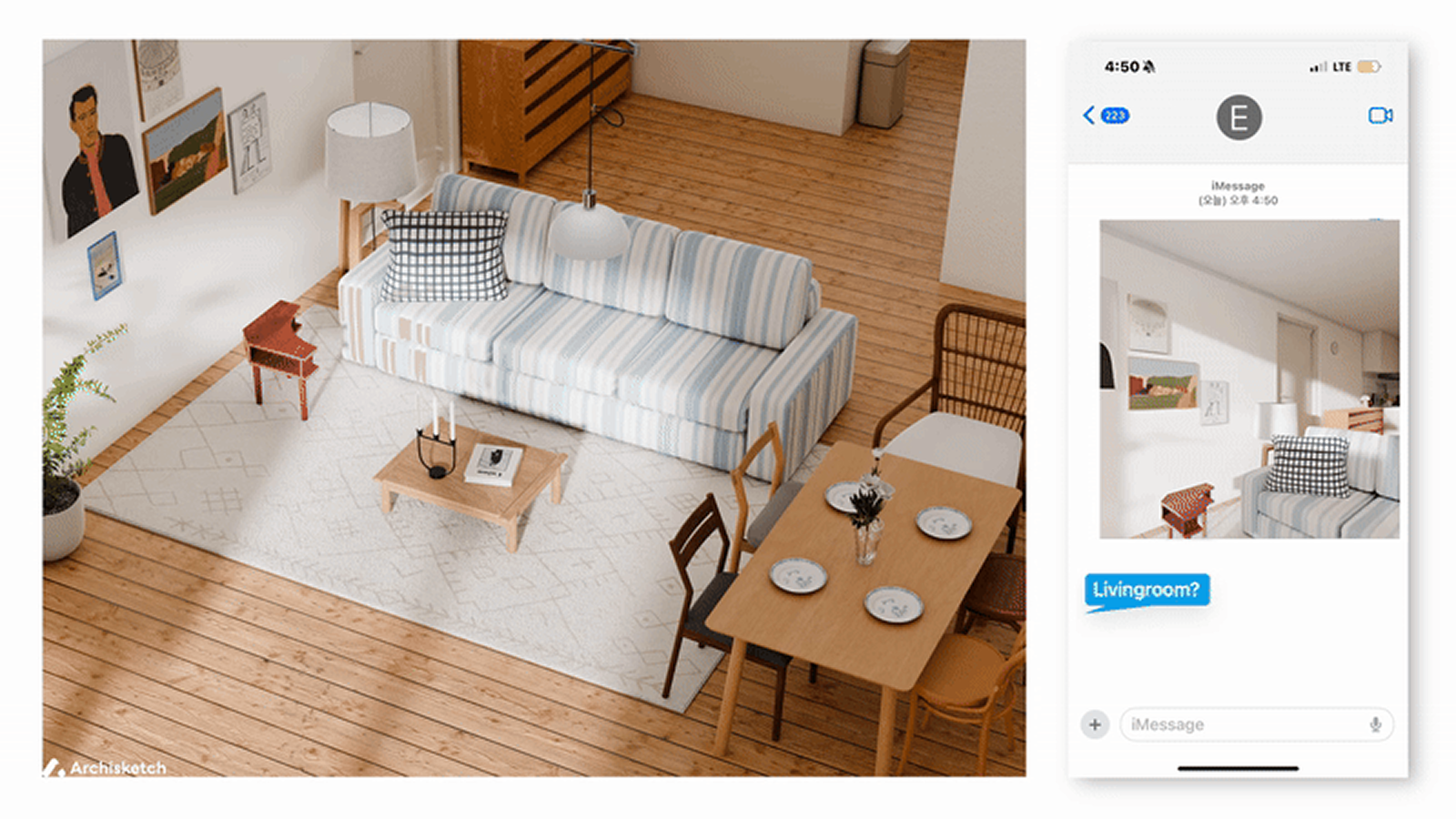
This is exactly where Archisketch’s Furniture 3D Rendering makes a difference. It allows you to capture images that are realistic yet visually polished at the same time.
The Process of Furniture 3D Rendering Using Archisketch
Now let’s take a look at how furniture rendering is actually created using Archisketch. The process is much simpler and more intuitive than you might expect.
1) Space Modeling
For your furniture to truly catch a customer’s eye, having great-looking furniture alone isn’t enough. It needs to harmonize with the surrounding space.
You want to create the expectation in customers’ minds: “If I place this furniture in my home, I could achieve an interior like this.”
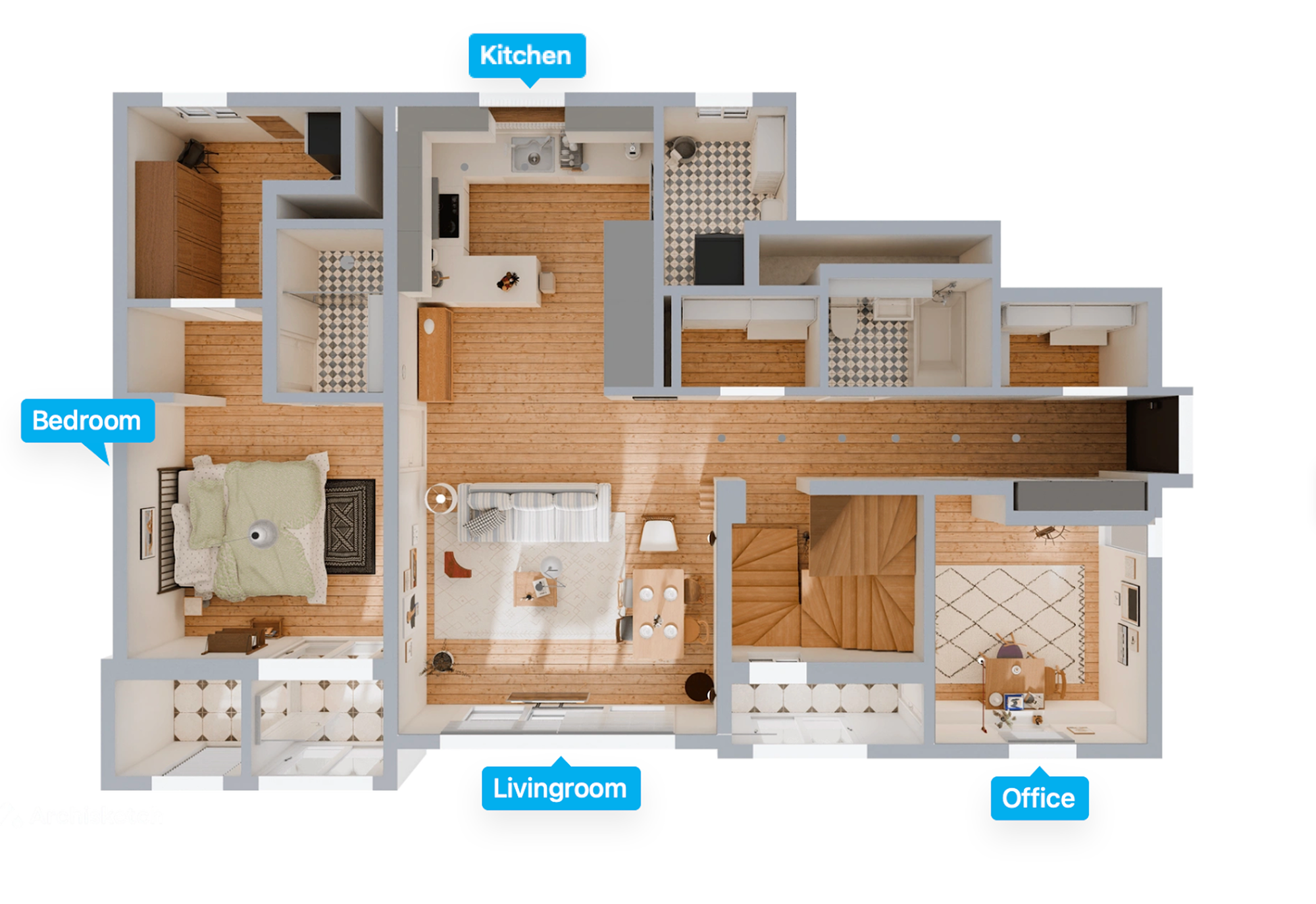
That’s why you first need to create the space where your furniture will be placed. With Archisketch, you can design a wide range of interior spaces, including living rooms, bedrooms, kitchens, and offices. Instead of building every element from scratch, you can decorate using pre-built templates.
From wallpaper and flooring to windows, doors, and moldings, even the smallest details can be freely combined. You can adjust the size of the space, ceiling height, and window placement—everything is customizable. This allows you to create the optimal environment where your furniture truly stands out.
2) Furniture Modeling
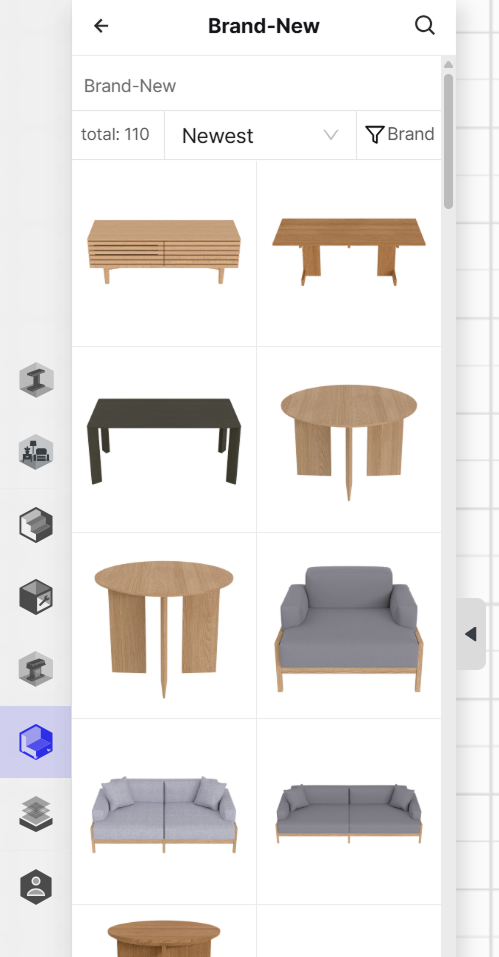
You might assume that furniture must be modeled first and then placed into the space. With Archisketch, however, you don’t need to model furniture yourself.
More specifically, companies that officially partner with Archisketch can receive customized modeling services. Your brand’s furniture is recreated faithfully within a 3D environment.
- Even before signing an official contract, you can thoroughly test the process during the free trial phase. Simply select furniture similar to your products from Archisketch’s extensive furniture library and try modeling it. With numerous brands already available, you’ll find a wide variety of furniture styles to work with.
- Each brand’s furniture may have predefined specifications, but you’re not limited to those settings. Size adjustments are fully flexible. In other words, you can find a sofa with a similar style and resize it to match your product’s actual dimensions.
3) Rendering
This is the core step: rendering. The space and furniture are transformed into vivid, photo-like images. Before final rendering, you can preview the result and make adjustments until you achieve the desired look.
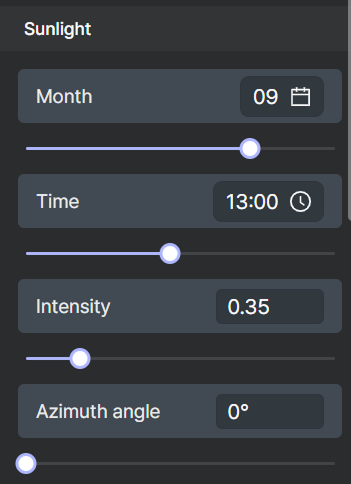
- Layer-based lighting control: Each object is separated into layers, allowing you to adjust lighting for individual elements. You can brighten just the furniture while slightly darkening the background, enabling precise, detailed control.
- Various lighting effects: For natural light, you can even reflect different times of day and seasonal sunlight. Alternatively, you can choose clean, studio-style lighting suited for product photography. Light intensity and direction are fully adjustable. While moving a single light on a real set takes time and effort, here it can be changed instantly with a single slider.
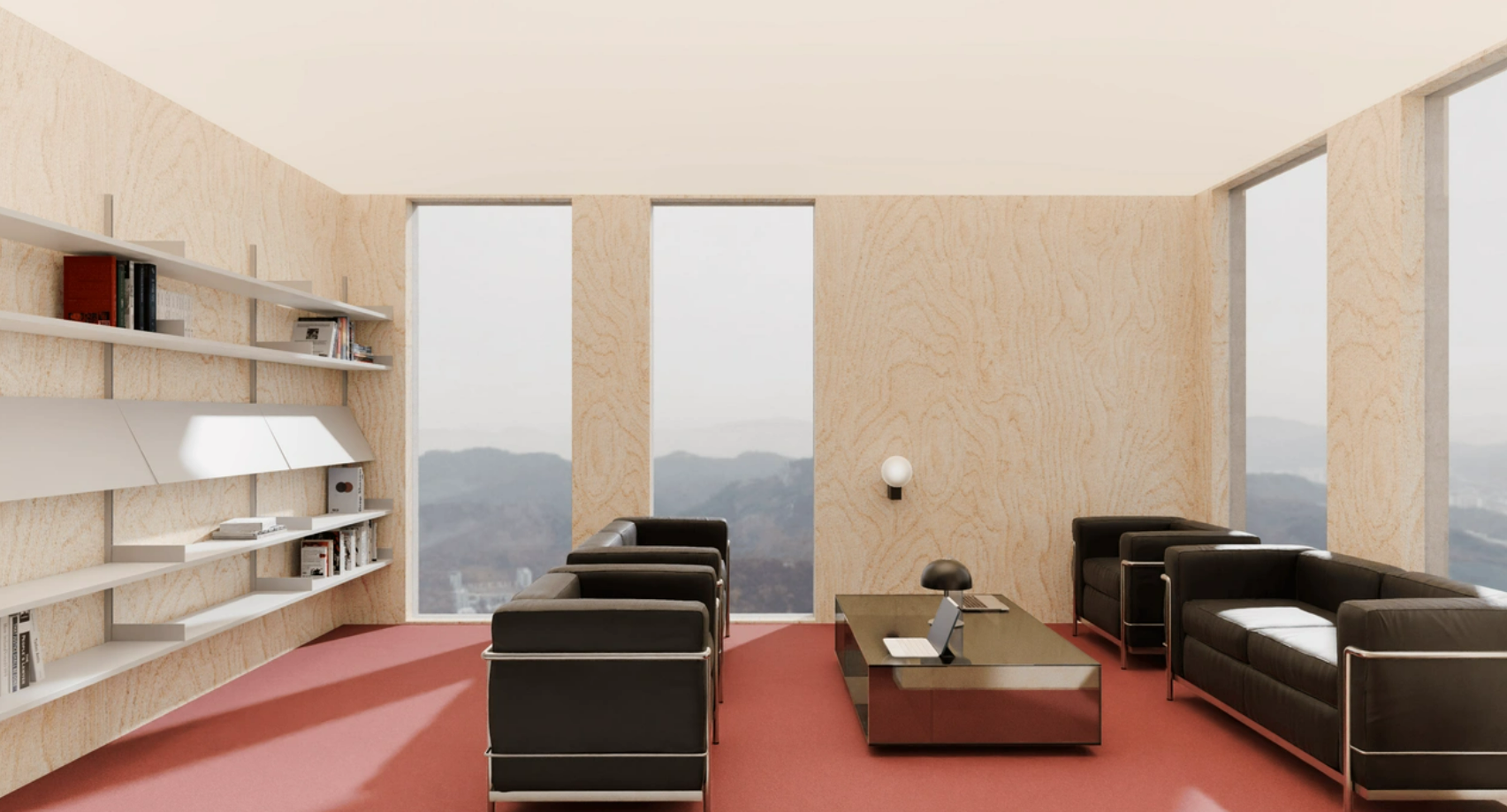
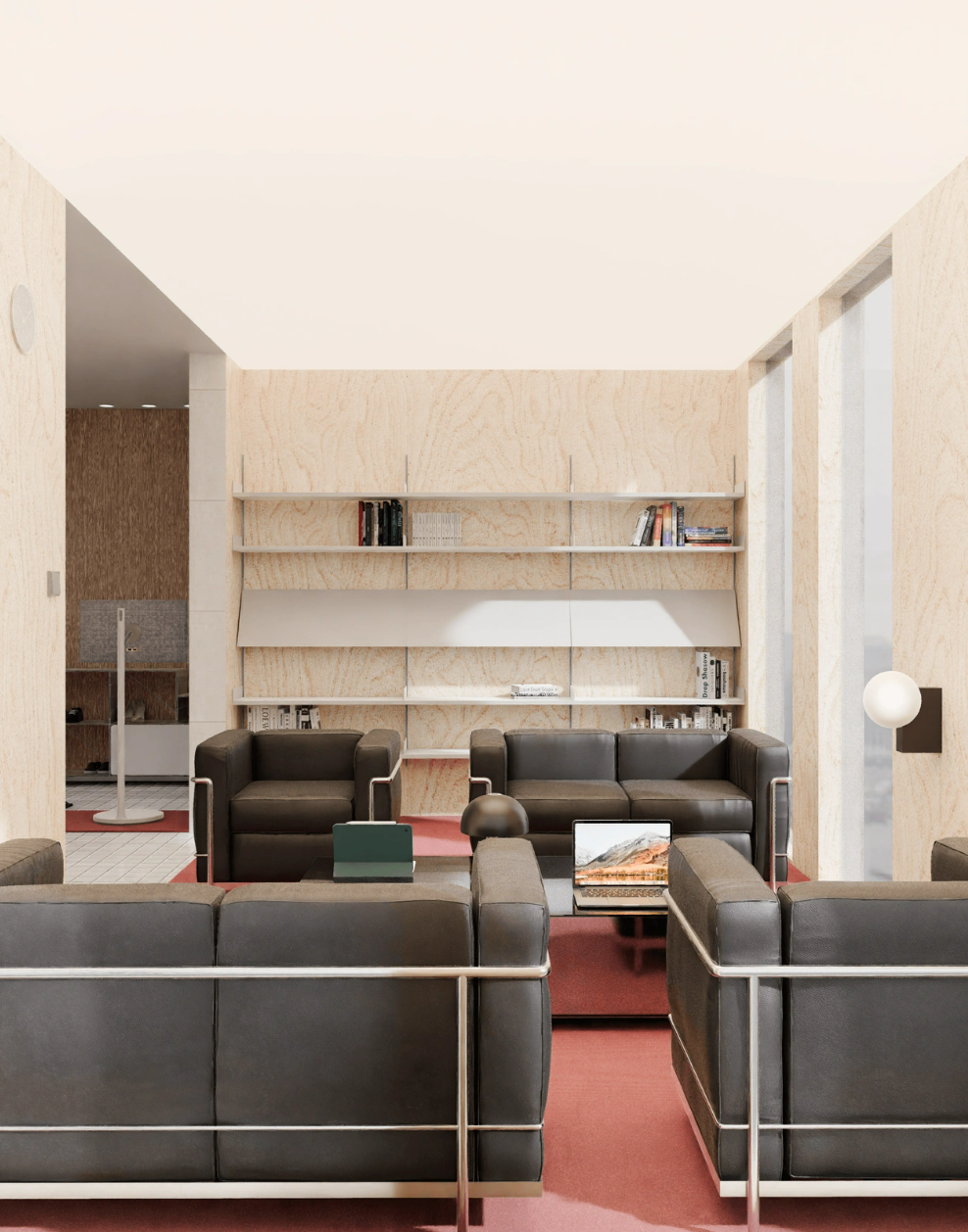
- Freedom of viewpoint adjustment: You can set camera angles based on the actual eye level of customers viewing furniture in a store.
- Realistic textures: Wood grain rings, leather wrinkles, fabric weave patterns, and metal reflections are reproduced with such precision that they’re nearly indistinguishable from real materials.
Three Special Ways to Use Furniture 3D Rendering
Rather than stopping here, we’d like to share three special ways to leverage Archisketch’s furniture rendering features get up to 2x more value from your investment.
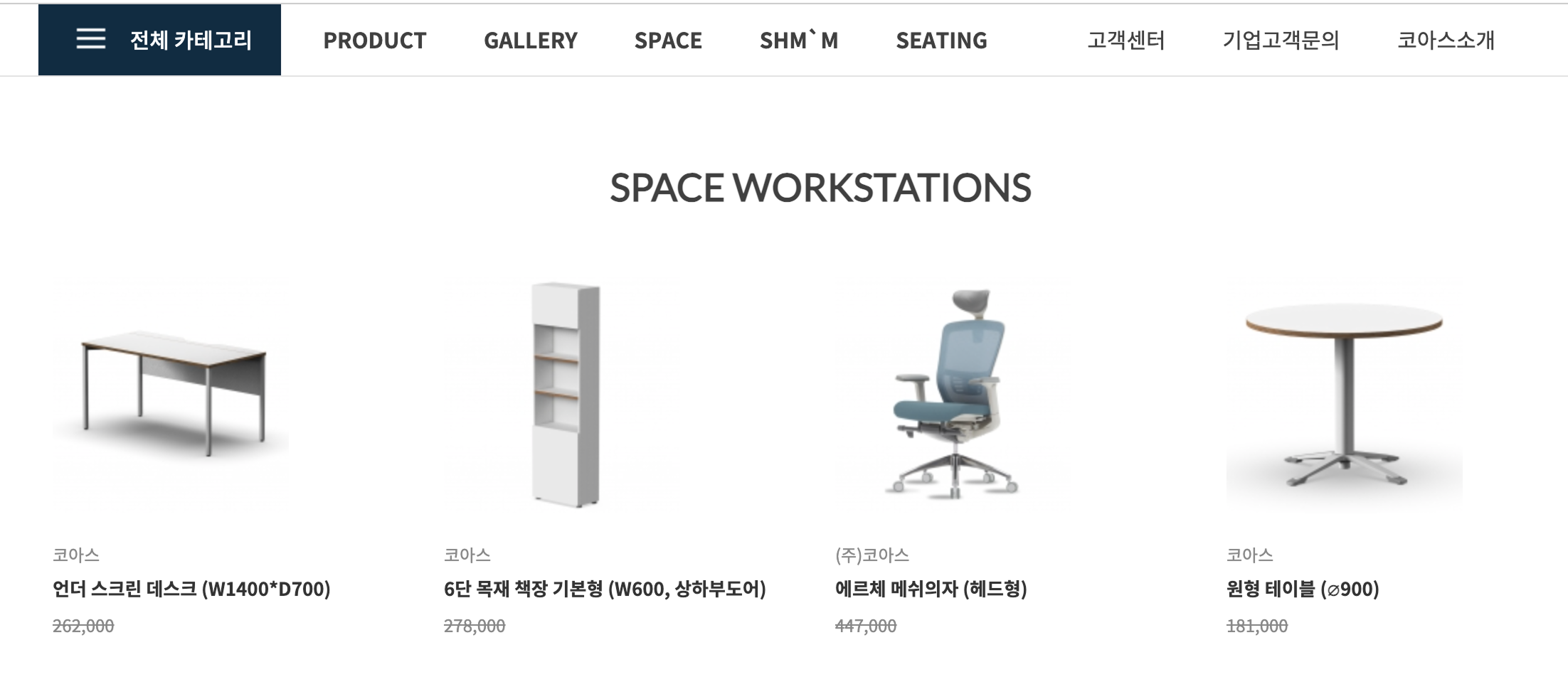
1) Silo 3D Visualization
You could stage your furniture in a studio-like setting and take photos, but the most fundamental image you’ll always need is a clean product image on a simple background.
Unlike heavy image-editing tools such as Photoshop, Archisketch is lightweight and intuitive because it focuses only on the features furniture companies actually need.
2) Driving Sales Directly with Shopping Integration
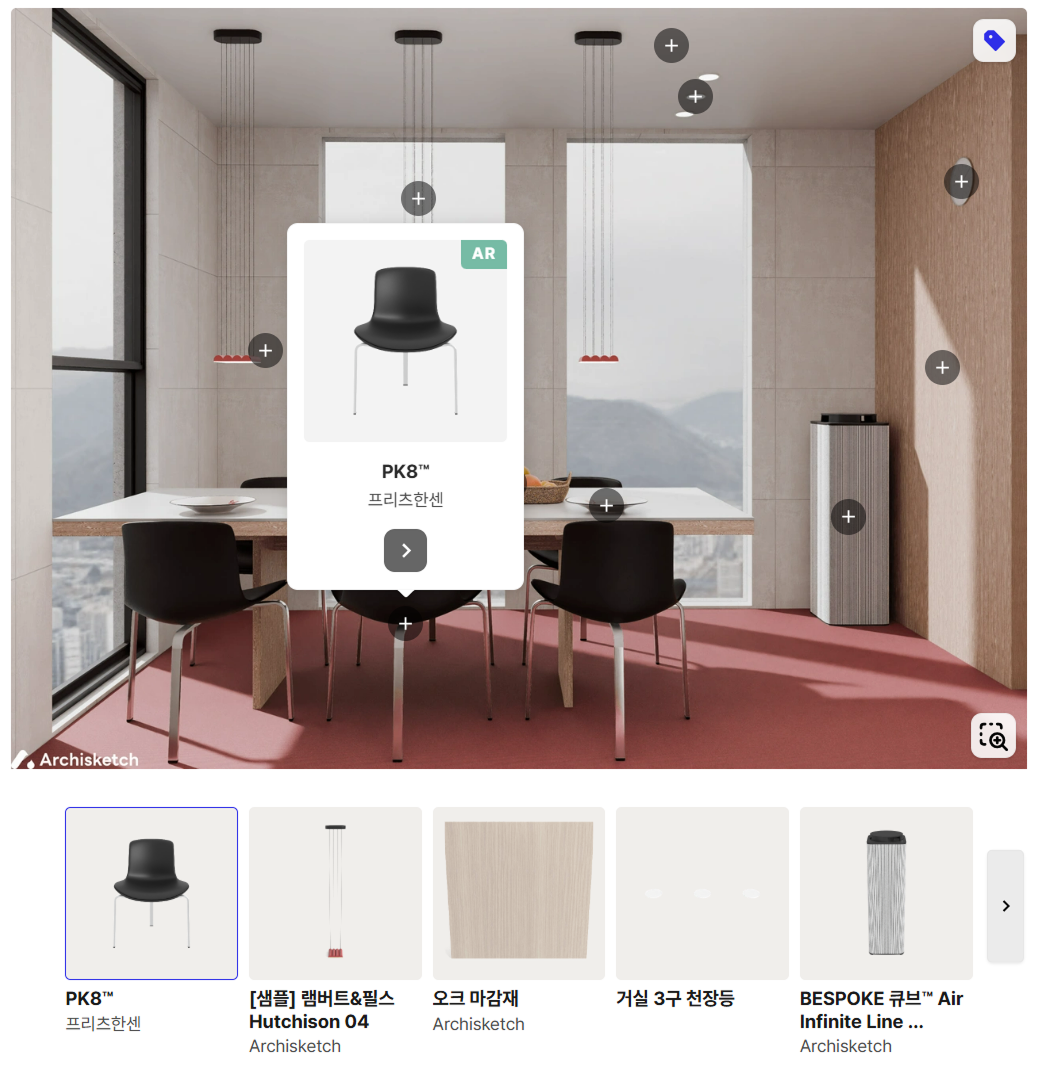
This is where Archisketch introduces a truly unique idea—one you won’t find in typical furniture 3D rendering tools. It’s the shopping integration feature.
Even when customers find furniture they like online, they often think, “I’ll look it up later,” and gradually forget about it.
But when you connect a purchase button directly to images or spaces rendered in Archisketch, customers can move straight to the purchase page. This brings you one step closer to your goal of increased sales.
Taking it even further, this opens up opportunities to expand your marketing channels.
- While Archisketch is a B2B service, it’s also a 3D interior platform used by general consumers (B2C users) around the world who love furniture. As people use Archisketch to design their own homes, they naturally encounter furniture from various brands.
- If your furniture is listed in the Archisketch library, it’s like having an additional showroom. Without visiting a physical store, customers can place your furniture in their own space, and if they like it, proceed directly to purchase.
- Not only that—professional interior designers, architects, and spatial planners also use Archisketch. If they incorporate your furniture into their projects and recommend it to clients, this can become the starting point of B2B transactions that lead to bulk orders.
- This is especially noteworthy for companies targeting expansion into Asian markets such as Japan and South Korea. Archisketch has already established a strong presence in Asia, allowing you to introduce your products to local customers without language or cultural barriers.
3) AR Services
When shopping for furniture, customers usually share one major concern:
“What would this look like in my home? What if it doesn’t match my space?”
No matter how beautiful a rendering is, there’s always a lingering sense of uncertainty. In some cases, if the furniture doesn’t fit well, customers end up returning it.
So how can you go beyond simply increasing conversion rates and instead improve post-purchase satisfaction while significantly reducing return rates? The answer lies in Archisketch’s AR service.
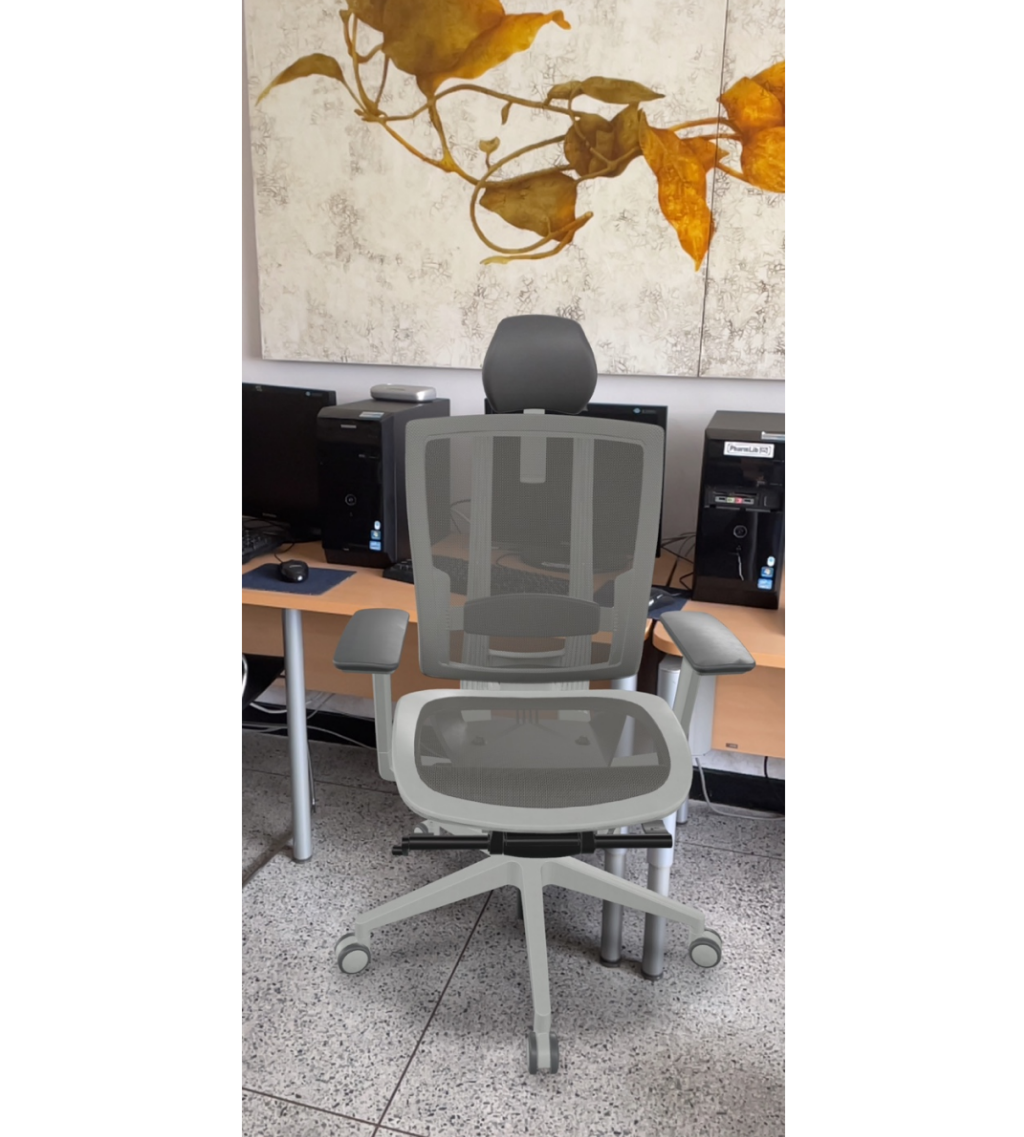
- Furniture rendered with Archisketch can be placed directly into a customer’s real space. When they point their smartphone or tablet camera at their living room, your sofa appears on the screen at its actual size.
- Customers can check whether the size fits their space, whether the color matches their existing interior, and whether it interferes with movement paths—all in their own home.
Simply changing one tool can change your sales.
That’s why Archisketch is a furniture 3D rendering tool designed around the goal of driving revenue growth. If you haven’t tried 3D rendering yet, now is the perfect time to start.
Or if you’re already using a furniture 3D rendering tool but haven’t seen meaningful results, it may be time to consider upgrading to a better solution. You’re welcome to experience the difference firsthand through a free trial.