Free to scale drawing software: Accurate by Design?
Looking for free to scale drawing software? Archisketch lets you create accurate, to-scale floor plans and immersive 3D spaces.

Free to scale drawing software — Is it really possible?
“If it’s free, isn’t the quality going to be low?”
“To create accurate drawings, don’t you eventually need to use a paid tool?”
If you’ve ever drawn a floor plan, chances are you’ve had thoughts like these at least once.Fortunately, the software you’ve been imagining actually exists. It really does allow you to create accurate drawings—even for free.
A representative example is Archisketch. Archisketch goes beyond being just another free tool. It’s a drawing and spatial design platform that has already been used in real-world projects by not only individual users, but also numerous furniture brands, interior design companies, and space planners.
Three reasons why Archisketch is optimized for floor plan drawing—even though it’s free
So how is Archisketch able to offer accurate floor plan drawing capabilities while remaining completely free? Here are three key reasons.
1) AI doubles your speed—without compromising accuracy.
In floor plan drawing, accuracy is everything. But what does “accuracy” actually mean in practice?
- It comes down to one thing: dimensions. If dimensions are even slightly off from your original plan, the proportions of the entire space begin to break down. This inevitably leads to major errors—resulting in losses when furniture needs to be repositioned or interior materials have to be changed.
- You also need to consider scale. No matter how convincing a drawing may look, if the scale is incorrect, it becomes meaningless in real-world application. Scale is what faithfully reproduces real-life proportions.
Now imagine drawing an interior floor plan by manually sketching every line. First of all, it takes an enormous amount of time.Let’s take a closer look at that process. You start by roughly sketching the shape by eye. Then you add dimensions and try your best to align everything accordingly.
That’s why Archisketch allows you to create drawings quickly by following just two simple steps, with the help of AI.
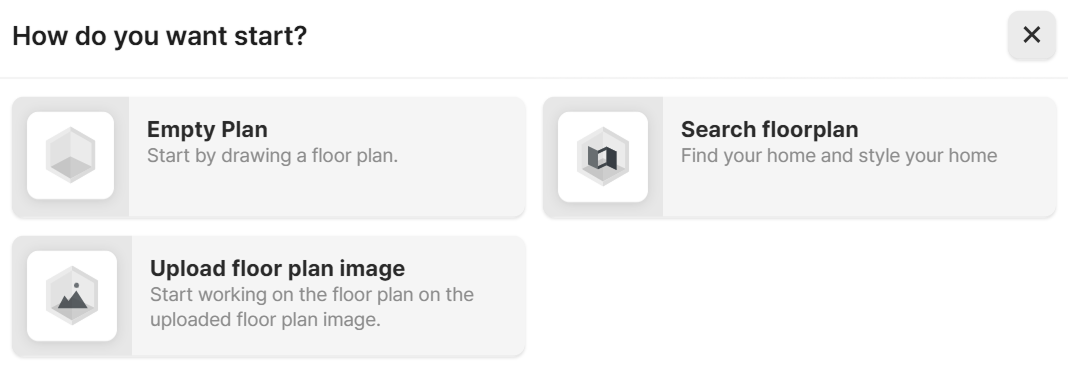
AI scans a 2D floor plan and automatically generates a 3D model. Even detailed elements, such as wall thickness, are created automatically. All you need to do is click “Upload floor plan image.”
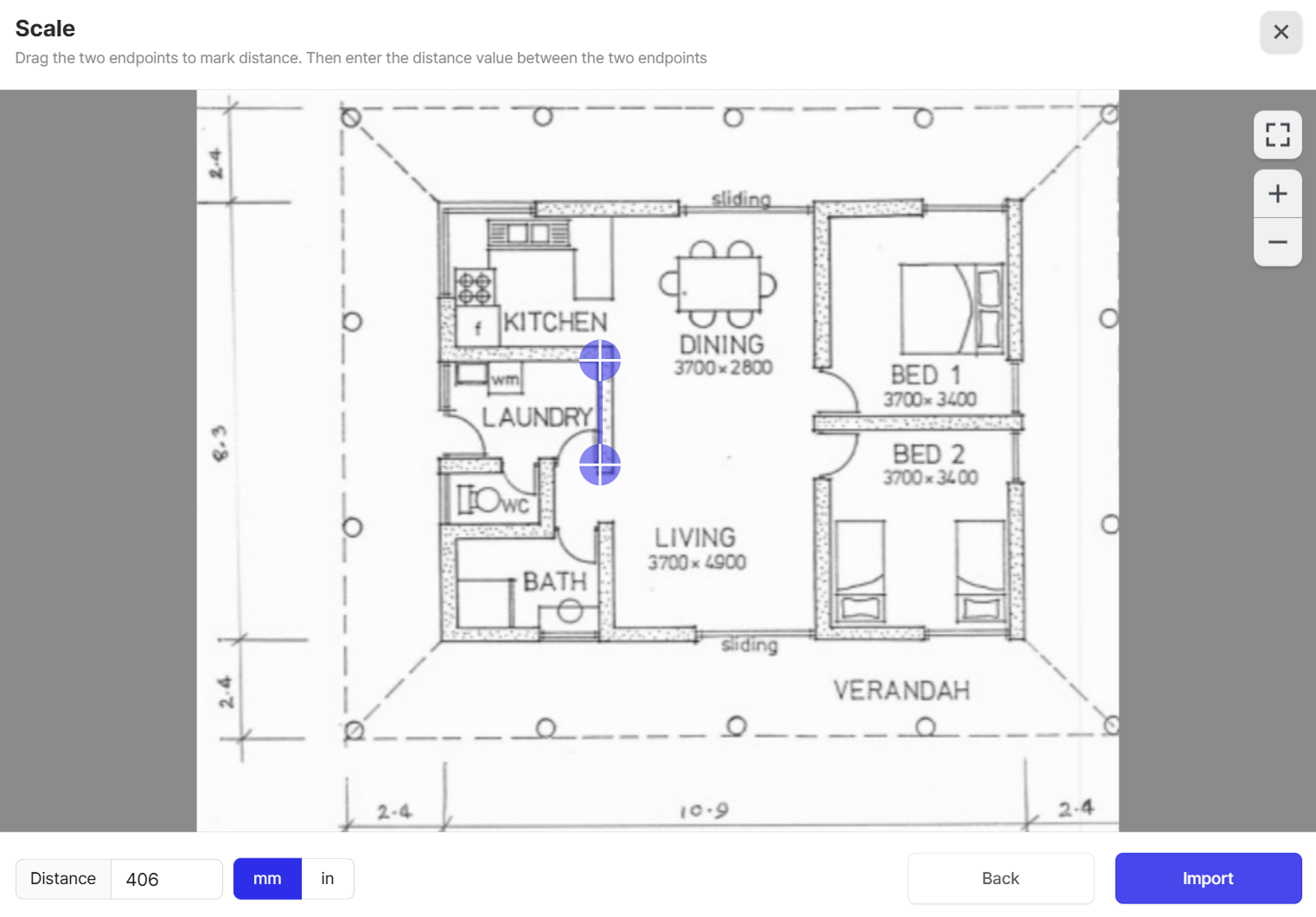
Next, simply enter the actual measurement for one section of the floor plan.Based on that single value, the rest of the space is automatically generated in correct scale as a 3D model.
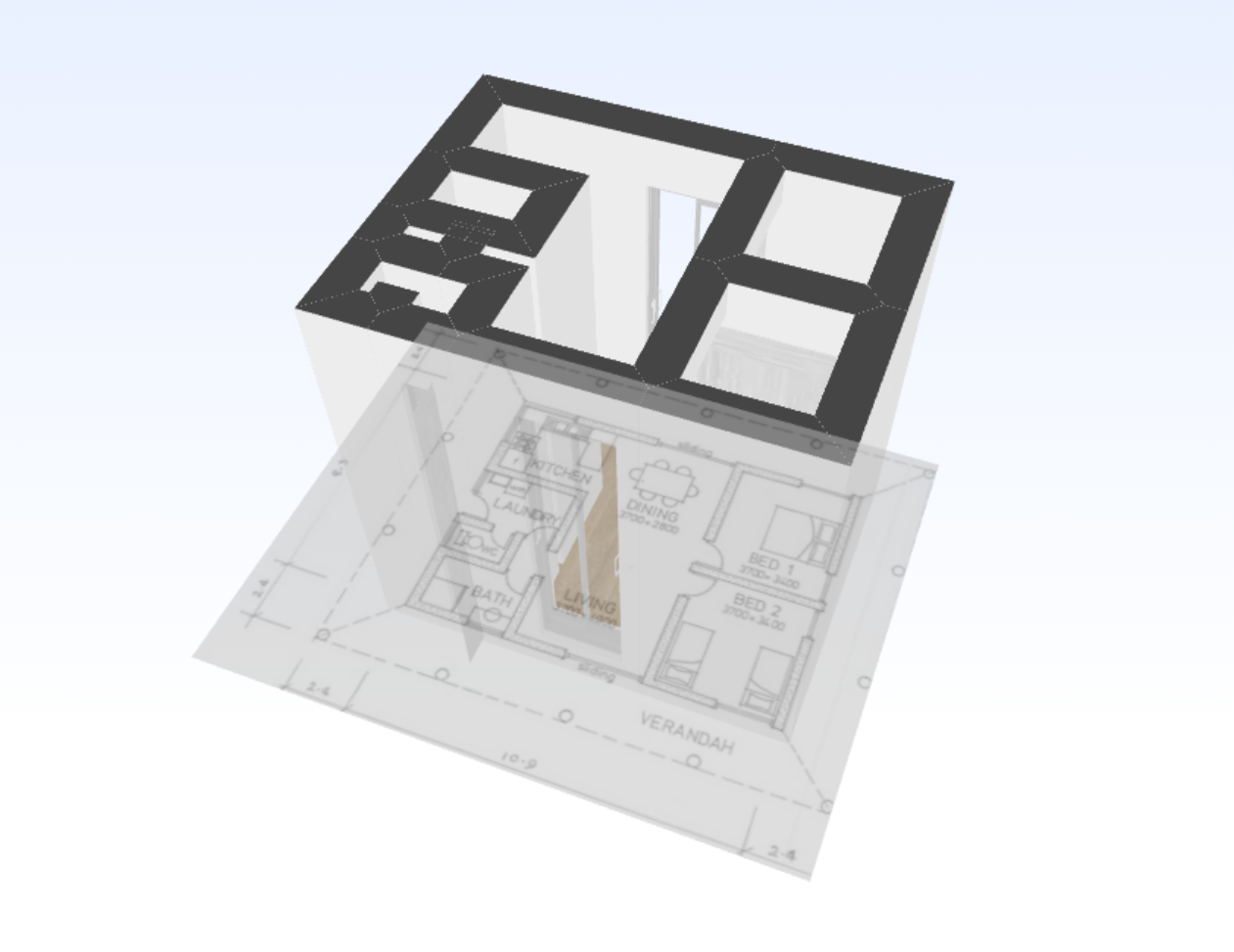
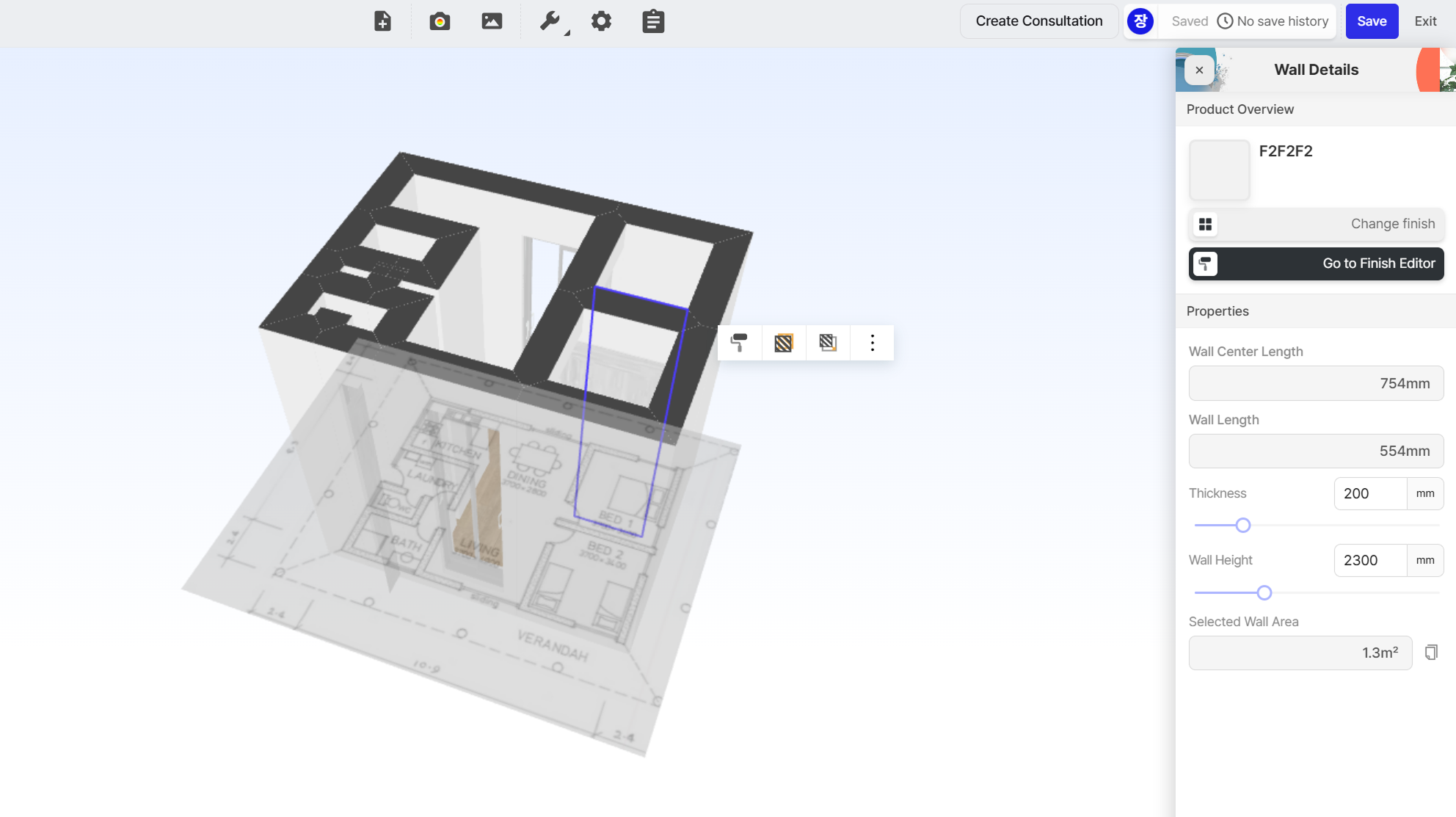
The AI creates the overall structure, and you can then fine-tune the details by manually adjusting dimensions to match real-world conditions. Click on any area you’d like to modify, and a panel will appear on the right where you can edit the dimensions directly.
This also works if you don’t have an existing floor plan. If you don’t have one, you can measure the space yourself and draw a simple floor plan—like in the image below—then upload it to Archisketch.
Archisketch automatically recognizes the uploaded image and converts it into a 2D floor plan. Based on that, it generates an accurate 3D space that matches the correct scale.

In short, Archisketch uses AI to dramatically increase speed, while giving users full control over accuracy and detail.
2) Walk through the space—just like in real life
No matter how detailed a 3D drawing is, there’s still one challenge that’s hard to overcome: you have to imagine the space as if it were real.
That’s why a layout that looks perfectly fine on a drawing can feel cramped in reality, or end up with awkward and inefficient circulation paths.
Archisketch turns imagination into something you can actually experience.
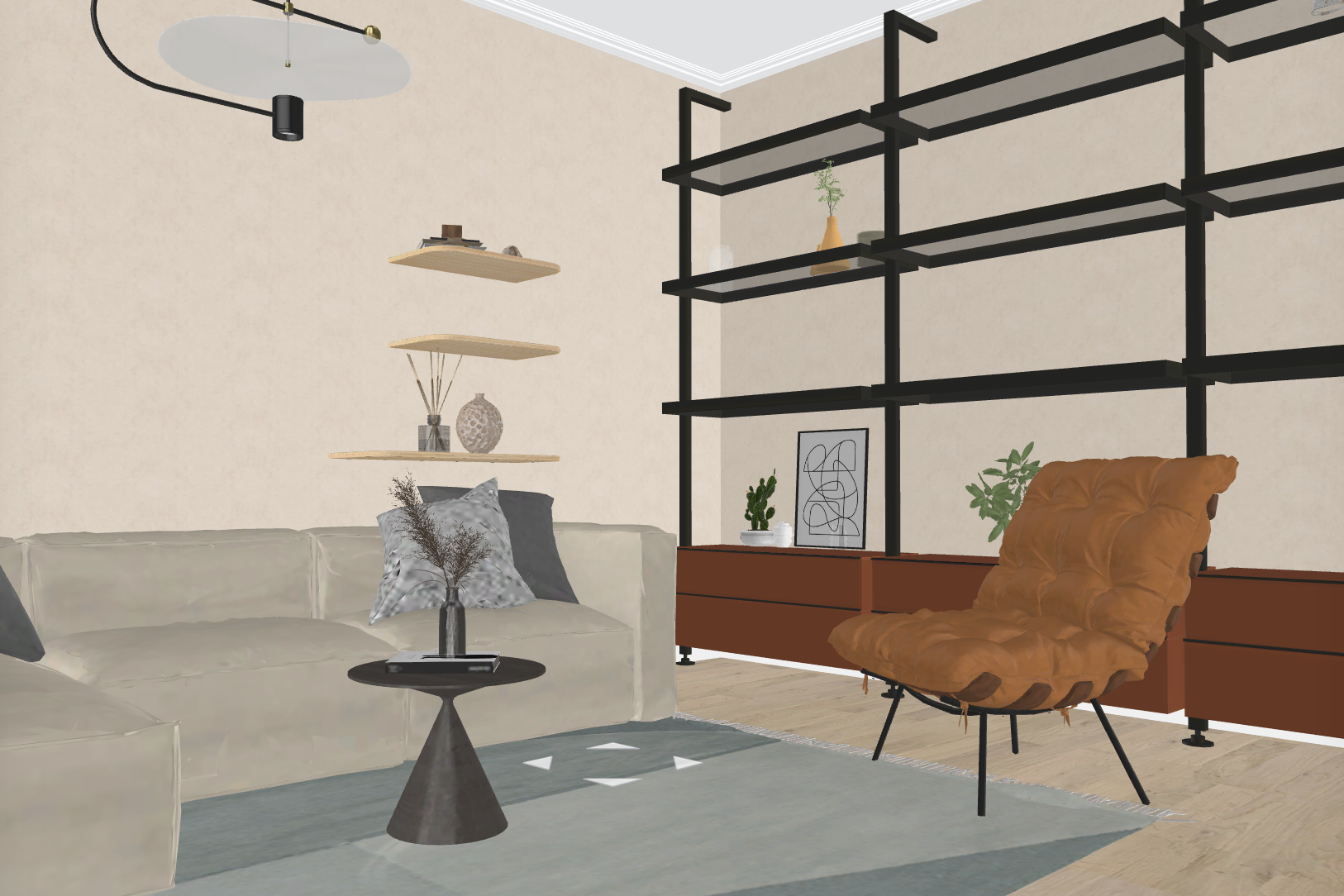
With Archisketch, you can move through the space as if you were actually inside the drawing—walking through it just like in a real environment. It feels almost like a realistic game.
You can experience the distance between furniture and walls, as well as the flow of movement through the space, all at the drawing stage, before anything is built.
3) Easy sharing
The main reason people create drawings is to share them with others. While some may keep them for personal reference, most drawings are created to be shared—with internal teams, clients, or customers.
A completed drawing becomes a key communication asset, enabling collaboration with team members, alignment with clients, and faster decision-making.
Archisketch minimizes these issues. As a web-based drawing tool, it requires no additional software installation. Once your drawing is complete, all you need to do is click the Share button. With a single link, anyone can view the same drawing—regardless of location or device.
Just like sharing a post on social media with friends, now you can share drawings just as easily.
All three features introduced above are available completely free in Archisketch. In addition, you can freely explore over 100,000 furniture items and building material libraries—all at no cost.
Who is Archisketch for?
1) Those who want to design their own home
While some people choose to purchase an already-built home, many dream of envisioning, designing, and completing a home entirely on their own.
However, ideas that exist only in your head are difficult to turn into reality. You need a way to check which building materials to use, whether the structure makes sense, if the proportions of the space are right, and whether the space will actually feel comfortable to live in.
As explained earlier, you can even walk through the space like a realistic game, experiencing the layout and flow firsthand.
2) Architecture firms and interior design companies
Archisketch is a tool that connects architecture and interior design companies with non-professional clients. It goes beyond being a tool that simply “draws well”—it’s a tool that creates persuasion.
Drawings can be easily shared with clients online, and compared to complex professional software, Archisketch is intuitive and easy to understand. Clients can explore the space as if they were experiencing it in person.
All the features introduced so far are available in Archisketch completely free of charge. We hope Archisketch helps everyone—from those who want to bring their dream home to life, to professionals looking for a new marketing strategy that can transform their company’s sales.