The Easiest 3D Interior Design Software (3 Tools Tested)
Looking for the easiest 3D interior design software? Compare three tools for beginners and businesses.

What Are the Criteria for Choosing the Easiest 3D Interior Design Software?
What does “the easiest 3D interior design software” really mean?
The first thing that usually comes to mind is “a tool that beginners can use,” which is how many people tend to define it.
However, that definition alone is a bit vague. Many tools claim to have intuitive UIs and describe themselves as easy for anyone to use.
When selecting the easiest 3D interior design software, I evaluated and compared the tools based on the three key criteria below.
A Tool You Can Use Directly on the Web
There are tools that require installation, but the most convenient option is a tool you can use immediately on the web. This is a more important criterion than it may seem.
Based on my hands-on experience, web-based tools offer these three key advantages.
- First, there’s no installation process, which removes a lot of hassle. Installation can take a long time, and even after waiting, errors sometimes occur midway. Some tools even require high-spec computers just to install. Web-based tools eliminate these issues entirely. You simply open your browser and get started, which makes them especially suitable for beginners.
- Second, you don’t have to worry about updates. Anyone who has used locally installed software before knows how frequently update notifications appear. Each update means more waiting, which can disrupt your schedule. In contrast, web-based 3D interior design software is always automatically updated to the latest version. There’s no need to wait for updates at all.

- Finally, web-based tools are ideal for people whose work environment changes frequently—such as switching between a laptop, an office PC, or working during external meetings. You can continue working simply by logging in on another device. With locally installed software, you’d have to reinstall the program on every new device, which is exhausting just to think about. With a web-based tool, you can work comfortably from anywhere.
2) Software with Fast Loading Speed
I’ve explained why web-based 3D interior design software is a good option, but in reality, not all web-based tools are easy to use. When you actually try them, you’ll find that some web tools are surprisingly slow.
More specifically, slow loading during the overall design process becomes a serious problem. Even in the most basic steps—drawing walls, creating a space, and placing furniture—if screen transitions are slow, the workflow gets interrupted again and again.
A truly easy 3D interior design software is fast and responsive. Furniture appears on the screen the moment you place it, material changes are reflected instantly, and viewpoint transitions remain smooth without lag.
When you think about it, this isn’t just important for beginners—it matters to everyone who uses the tool.
3) Do the Results Naturally Lead to a Purchase?
This criterion is especially important for businesses—particularly those that sell furniture, interior products, or interior design services using 3D interior visuals.
- From a business perspective, revenue ultimately matters most. It’s not enough to simply create visually appealing interiors. The real goal is to guide customers toward making a purchase.
- In other words, the value of a 3D interior design tool lies not just in how good the space looks, but in how effectively the result encourages customers to take action and complete a purchase.
Ease of Use Isn’t Everything
So far, we’ve focused on how easy a tool is to use when defining the easiest 3D interior design software. But that’s not the whole story.
Ease of use is important, but whether the tool automatically produces realistic results matters just as much. No matter how easy a tool is, it’s disappointing if the results look rough or unconvincing. So how can you tell if a tool delivers realistic results?
4) Check the Rendering Quality
First, you should check the rendering quality. Ideally, you should use a tool that supports 16K resolution or higher—and this is especially important for business users.
- When you zoom in to inspect fine details or export large images, low resolution can cause images to break or lose clarity. Since 3D furniture layout images are often used across websites, proposals, and marketing materials, high-resolution (16K+) rendering is essential.
- If the resolution is too low, materials may look blurry, and the space may fail to feel realistic. Ultimately, this can make your work look less professional and less trustworthy.
5) Make Sure Free Users Aren’t Too Restricted
Another important point is whether free users face excessive limitations.
- It’s understandable that some features may be restricted for free users. However, if those restrictions are too severe, the experience quickly becomes frustrating. When a free trial is overly limited, it becomes difficult to clearly judge whether the tool fits your needs.
- This criterion becomes even more critical for businesses. Before committing to a paid plan, companies need to fully experience the workflow and output quality. That’s why it’s important to check how usable the software really is in its free version, not just whether a free option exists.
Comparison of Three Tools
Now, let’s take a closer look at three tools that are widely known for being easy to use: Planner 5D, Homestyler, and Archisketch.
Planner 5D
1) Can it be used directly on the web? ⭕
Planner 5D is a web-based tool that runs directly in a browser without requiring any software installation. However, users must log in in order to access and use the service.
2) Does it load quickly? ⭕
Based on user reviews as well as hands-on testing, this tool delivers fast performance.It responds quickly during the design process, making it a solid option for those who value speed and efficiency in their workflow.
3) Do the results naturally lead to a purchase? ⭕
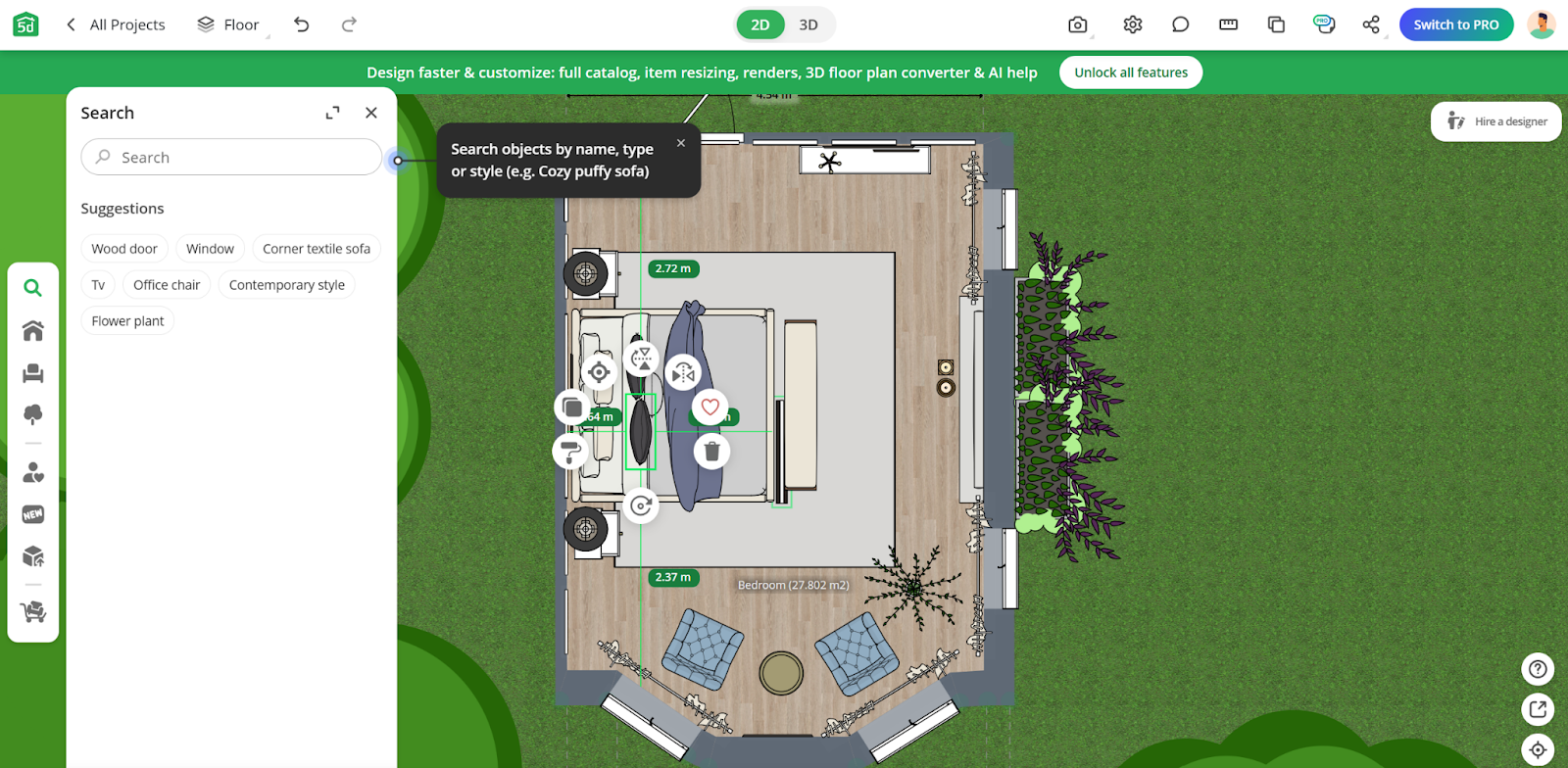
Planner 5D does not provide a “Buy Now” button within its 3D interior design interface. Users can freely create a 3D space and arrange furniture and décor as they wish.
However, this design flow does not easily translate into an actual purchase. The reason is simple: there are no direct product links. As a result, there is a clear limitation in converting a design tool “user” into a paying “customer.”
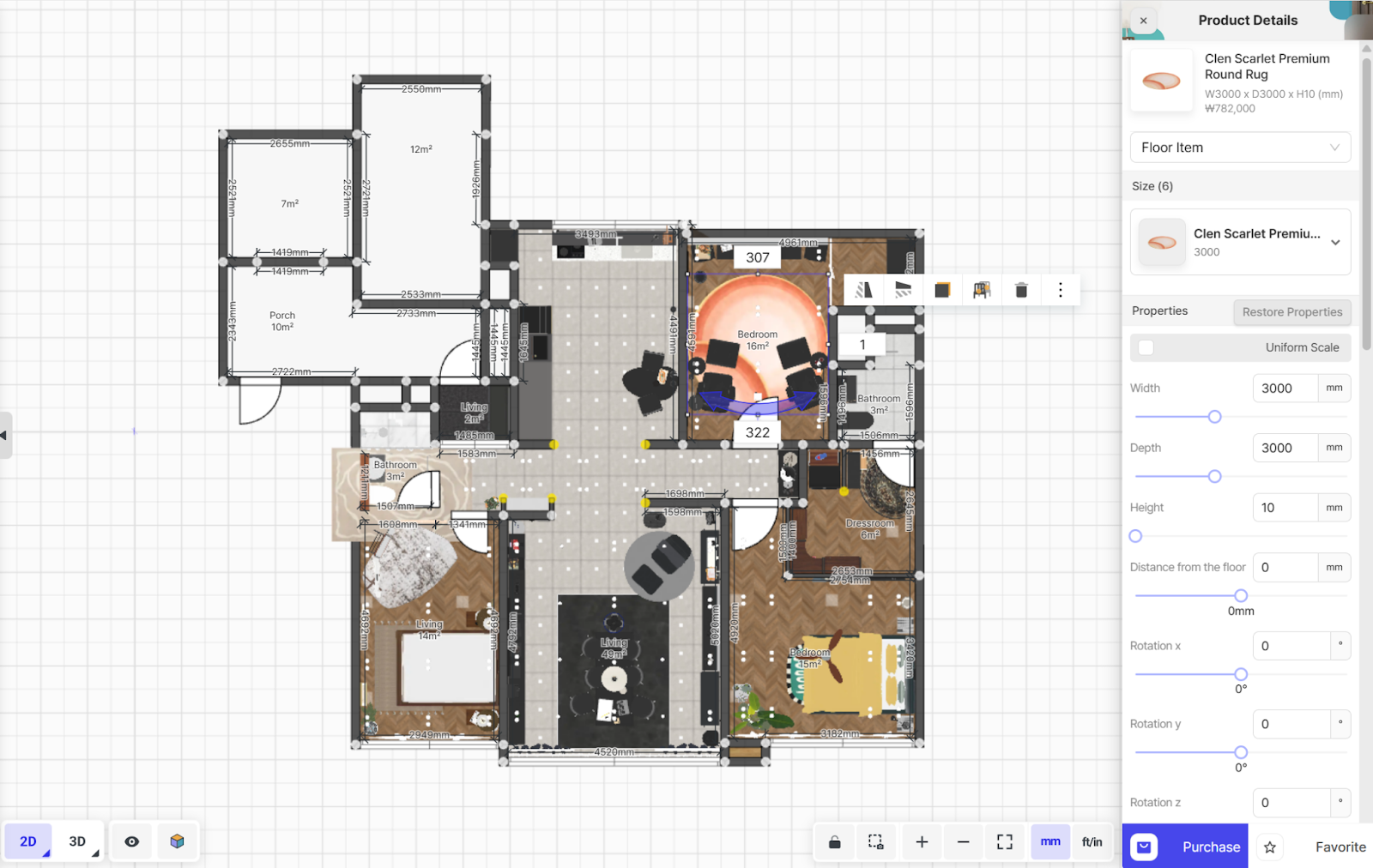
When compared to another 3D interior design tool, Archisketch, the difference becomes very clear. Archisketch includes a “Buy” button directly within the 3D interior design screen.
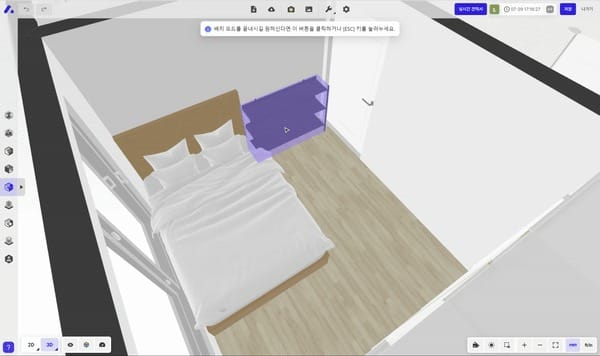
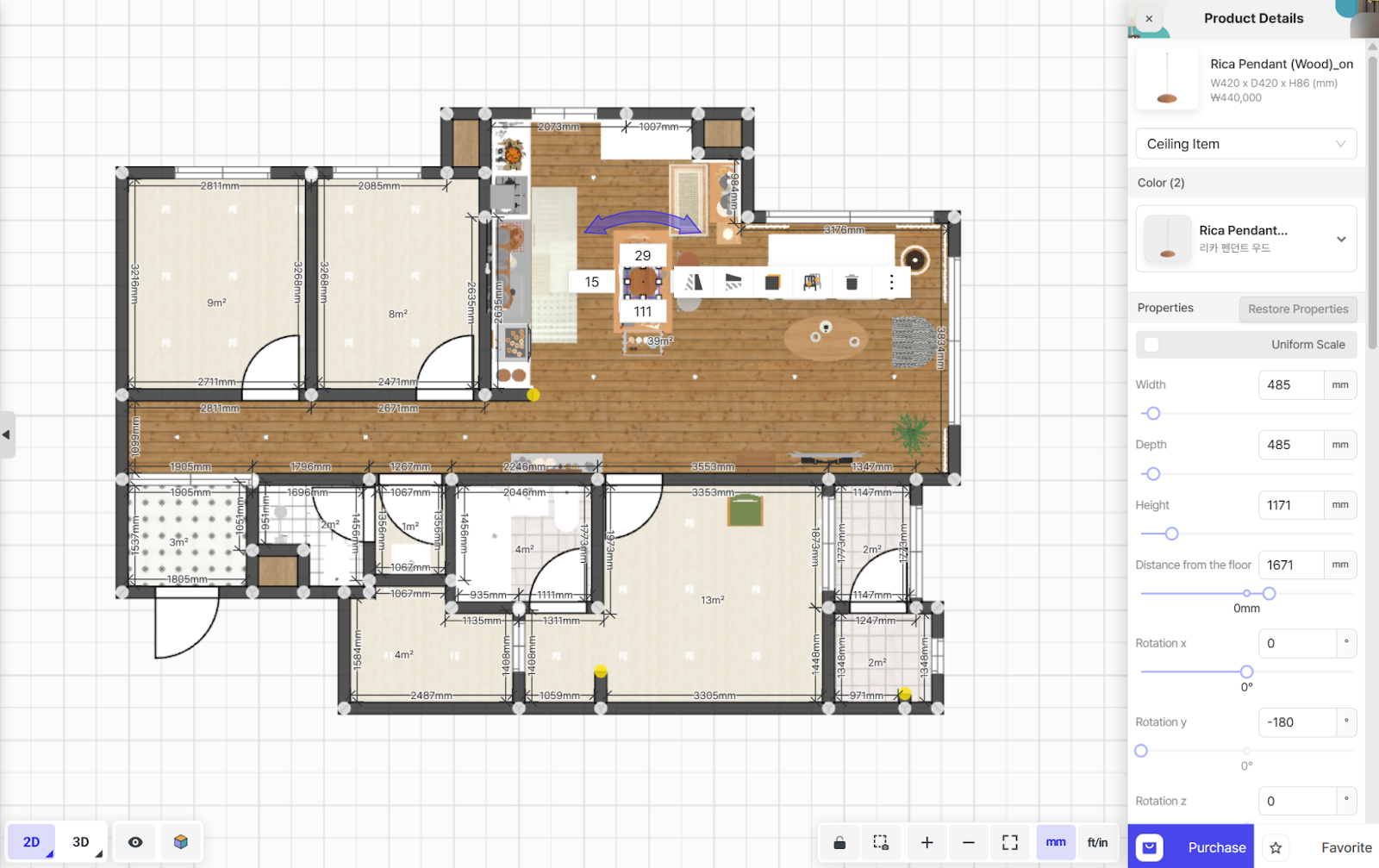
- When a user clicks on a product, a purchase button appears in the bottom-right corner. This allows users to design a space, explore products they like, and immediately visit the brand’s official store to make a purchase.
- Because the product is linked directly, users can also view detailed product pages before buying.
4) Does it produce realistic results? △
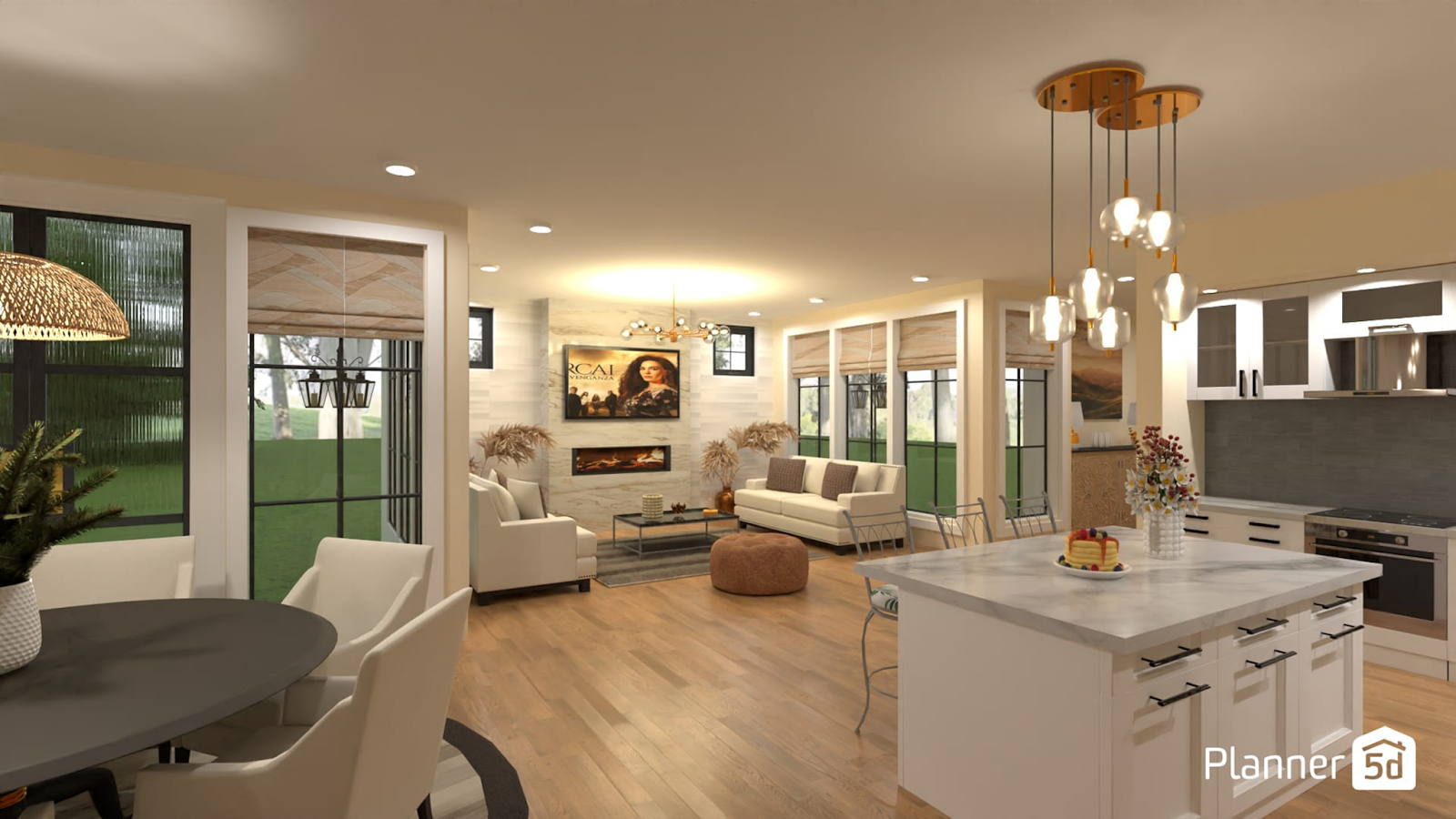
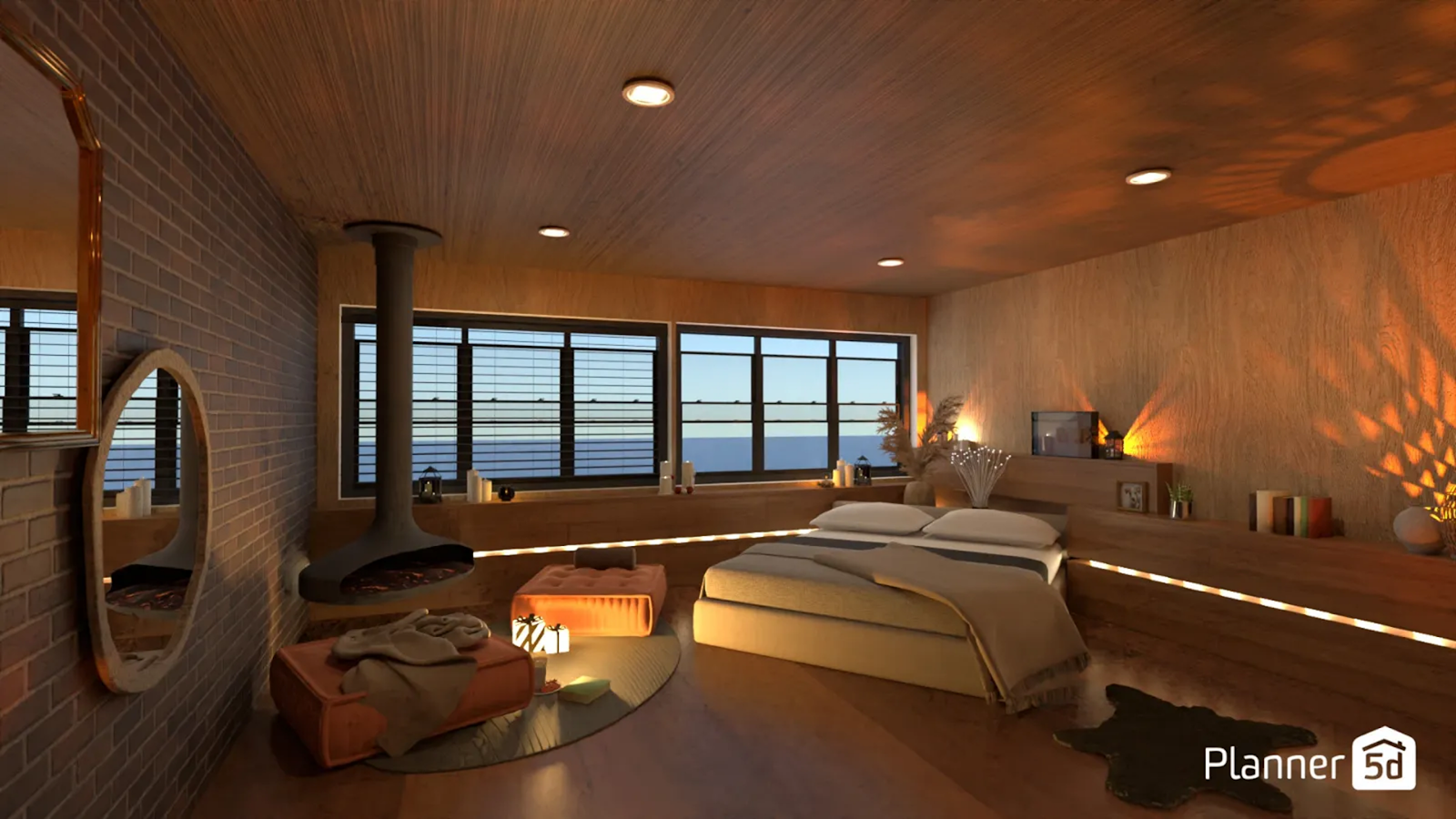
Planner 5D supports 4K rendering resolution. At first glance—especially when viewed at a smaller size—the results may not seem problematic. However, quality differences become noticeable upon closer inspection.
When images are zoomed in, printed, or used in proposals and presentation materials, image quality may degrade, and fine details can feel insufficient. This means that in situations where detail truly matters, Planner 5D may show its limitations.
5) Are there no major limitations for free users? ❌
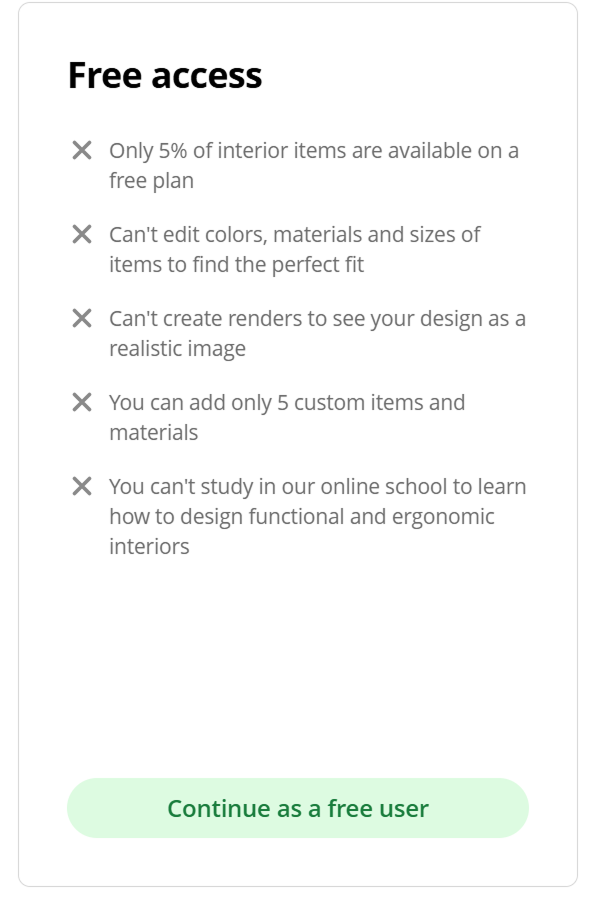
This is the most disappointing aspect. The free plan comes with significant limitations. For users who want to fully try the software before deciding whether to upgrade to a paid plan, this can be a drawback.
- Free users can access only about 5% of the total available items.
- Like many other 3D design programs, Planner 5D allows users to customize the color, material, and size of items in the library to fit their space. However, these customization features are also heavily restricted in the free version.
- Most importantly, rendering itself is not available in the free plan.
Homestyler
1) Can it be used directly on the web? ⭕
Like Planner 5D, Homestyler is also available as a web-based tool. It can be launched immediately in a browser without any installation, which makes it convenient to start using.
2) Does it load quickly? ❌
In terms of speed, the drawbacks are fairly noticeable.
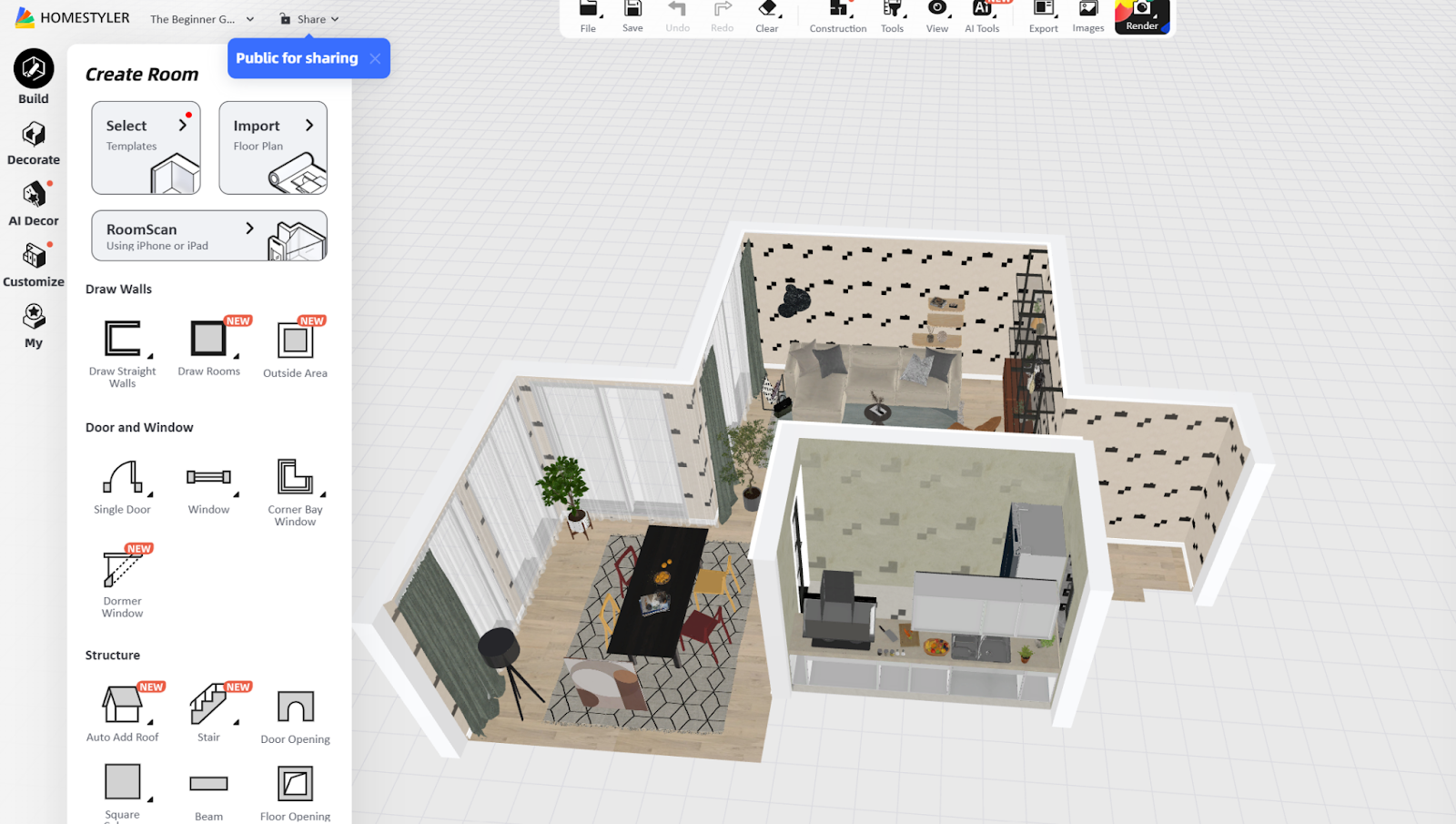
Overall, the working environment feels heavy. Among web browsers, Chrome performs the best, but even on Chrome, screen stuttering and lag can occur. In addition, bugs sometimes appear during the rendering process, which can significantly extend working time.
3) Do the results naturally lead to a purchase? ❌
In a business setting, showing 3D interiors during customer consultations can certainly help improve conversion rates. However, Homestyler itself does not provide detailed product or service information features.
As a result, it’s difficult to say that the experience naturally leads customers all the way to a purchase.
4) Does it produce realistic results? △
Homestyler supports 4K rendering resolution. For the same reasons mentioned with Planner 5D, business users may find the final output somewhat limiting after extended use.
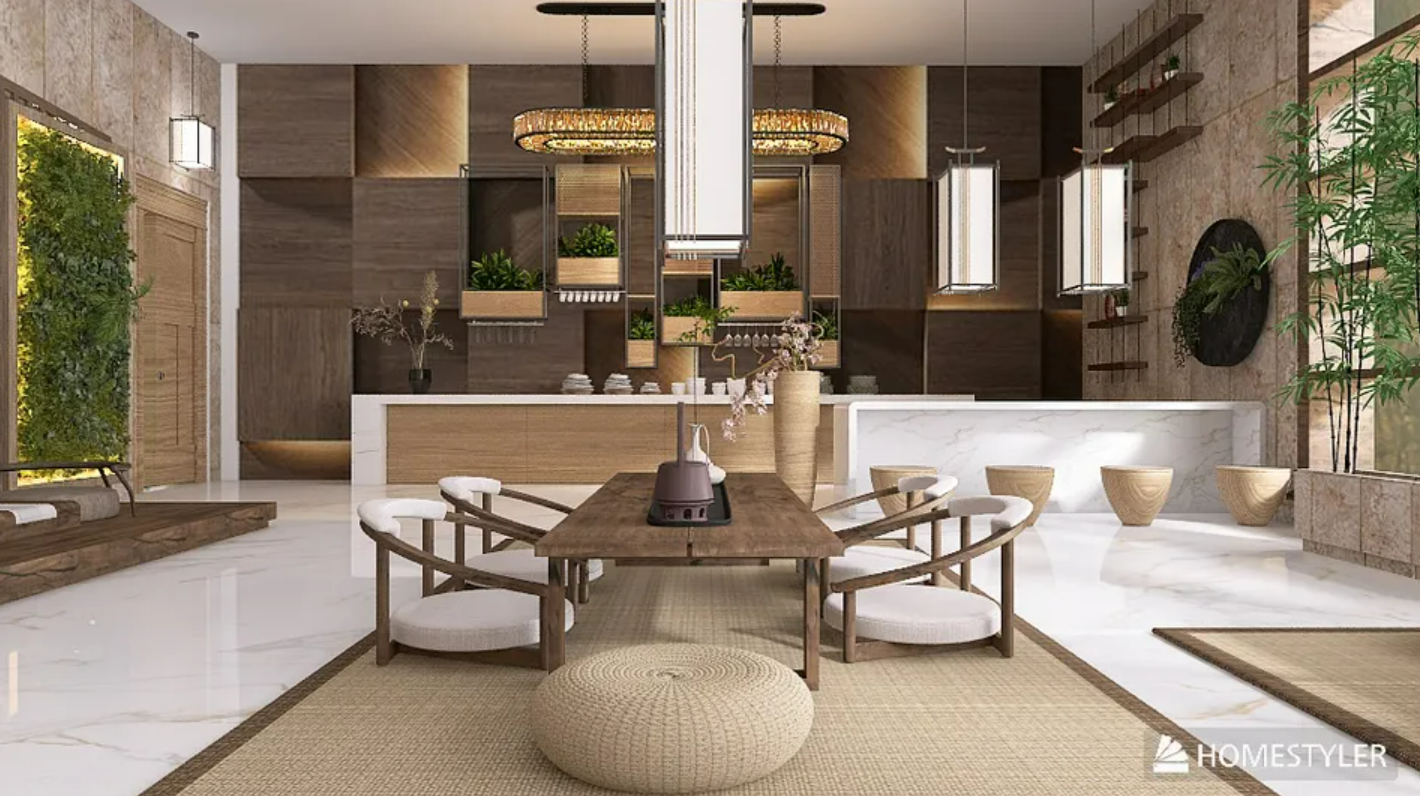
That said, there is one positive aspect in terms of quality. Users can manually adjust lighting and textures. Without these adjustments, the result may look unnatural—as if the interior and exterior lighting don’t align, as shown in the image below.
If you want to achieve the best possible results with Homestyler, actively using these lighting and texture settings is essential.

5) Are there no major limitations for free users? ❌
Homestyler’s free plan includes daily limits on rendering and feature usage. Because of these restrictions, workflows can feel slow and interrupted, which can be frustrating for users who want to fully test the software before upgrading.
Archisketch
1) Can it be used directly on the web? ⭕
Like the previous two tools, Archisketch is a fully web-based 3D interior design software. There is no need for installation, and it can be launched directly in your browser.
You only need to log in, and there’s no need to worry about updates. You can start working immediately without any environmental limitations.
2) Does it load quickly? ⭕
One of Archisketch’s biggest strengths is its instant screen responsiveness. The actual workflow is also smooth and simple.
Furniture appears instantly when placed, material changes are reflected immediately, and camera movements and screen transitions remain smooth without noticeable lag.
3) Do the results naturally lead to a purchase? ⭕
With Archisketch, the answer is yes. To illustrate this, let’s look at Ohouse, a major interior design and lifestyle platform in Korea. Ohouse uses Archisketch to create marketing content that connects 3D visuals directly to product purchases.
After creating a virtual interior space, products placed in the scene are tagged directly within the image. When users view the content and click on a product they are interested in, they are immediately taken to the product’s detail page.
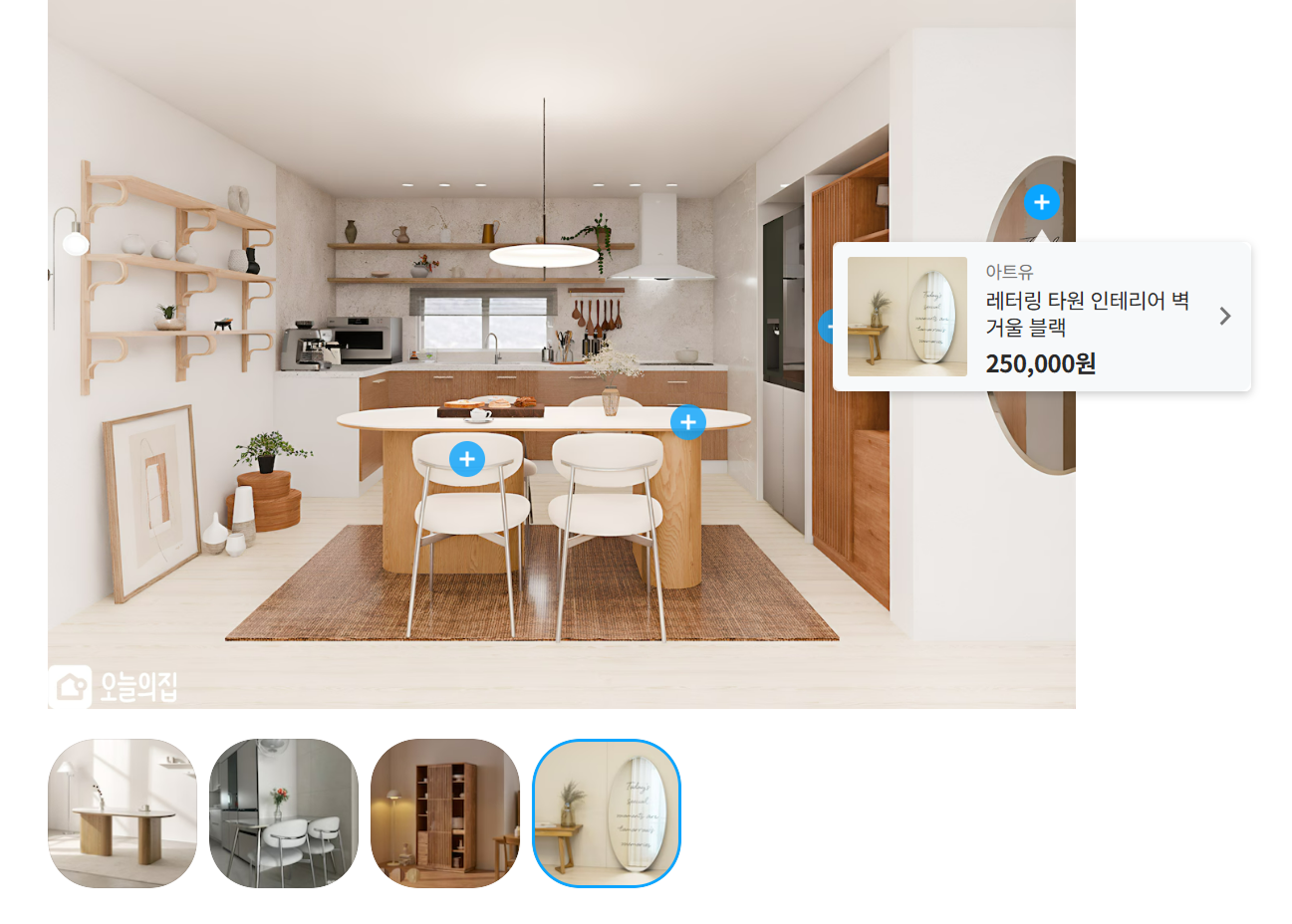
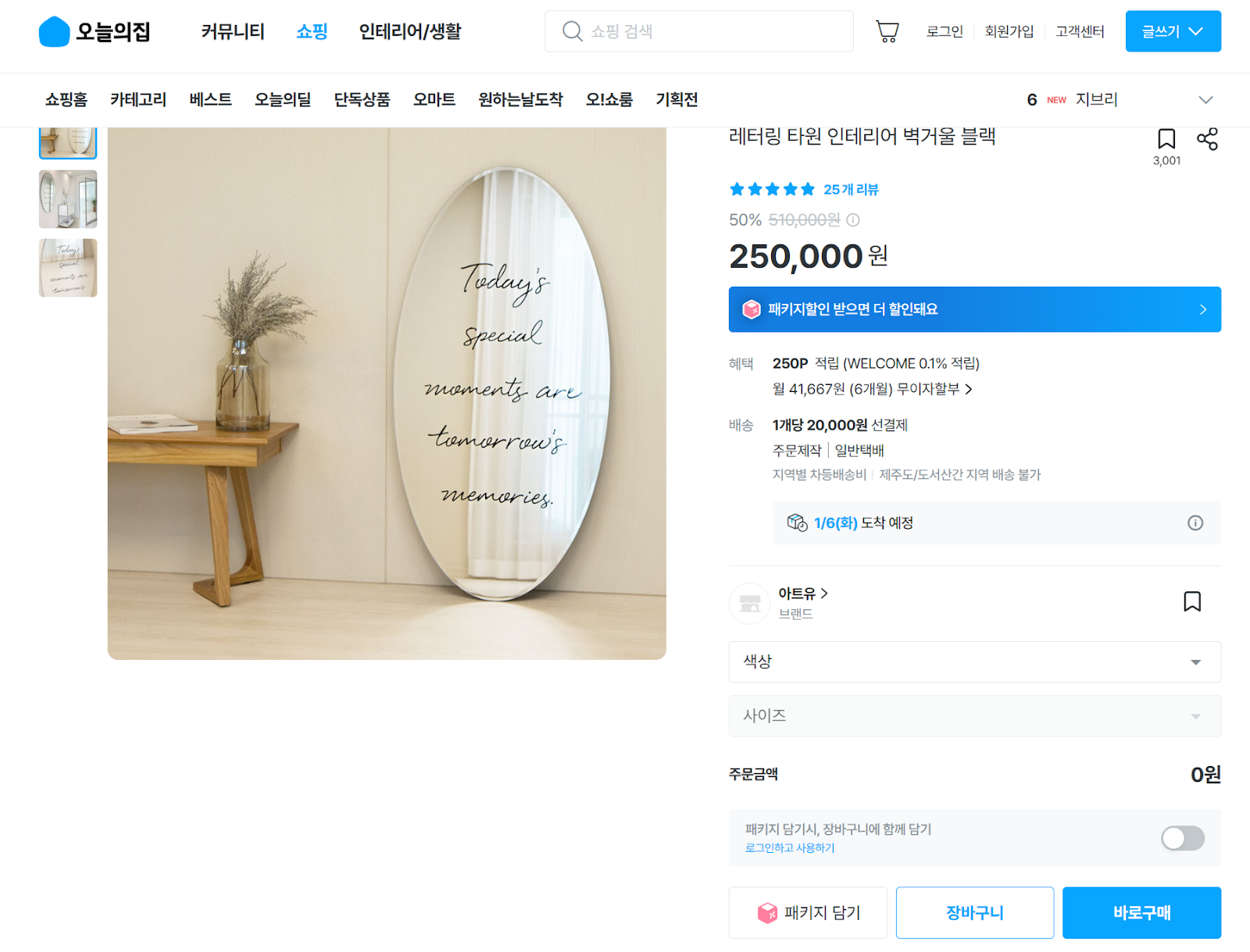
In addition, within the 3D interior design workspace itself, clicking on a product reveals a “Buy” button. By clicking this button, users can naturally move from designing a space to purchasing the product, without breaking their flow.
4) Does it produce realistic results? ⭕
Archisketch supports 16K high-resolution rendering. It also offers nighttime environments, natural daylight, and detailed lighting for individual objects, resulting in highly realistic visuals.
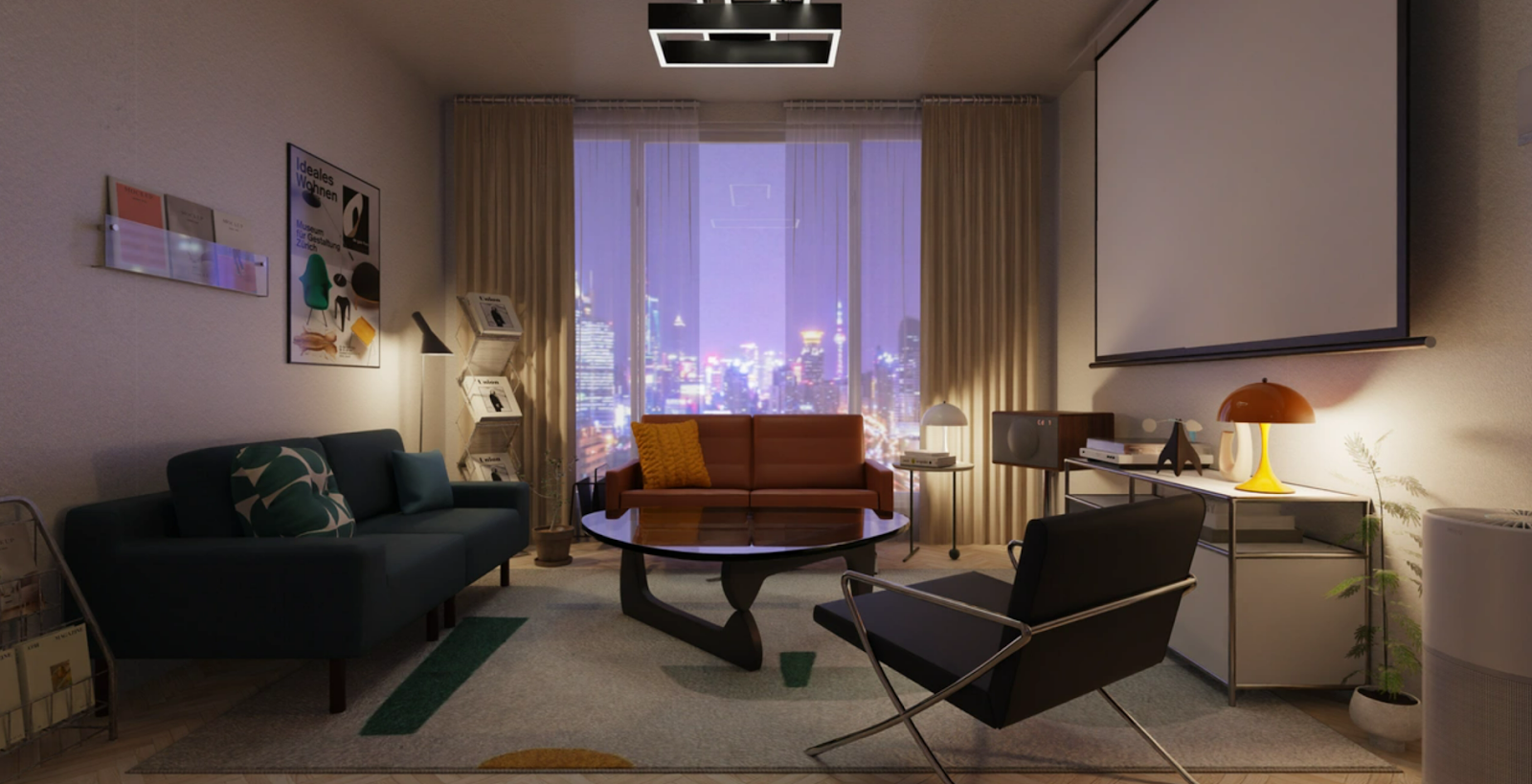
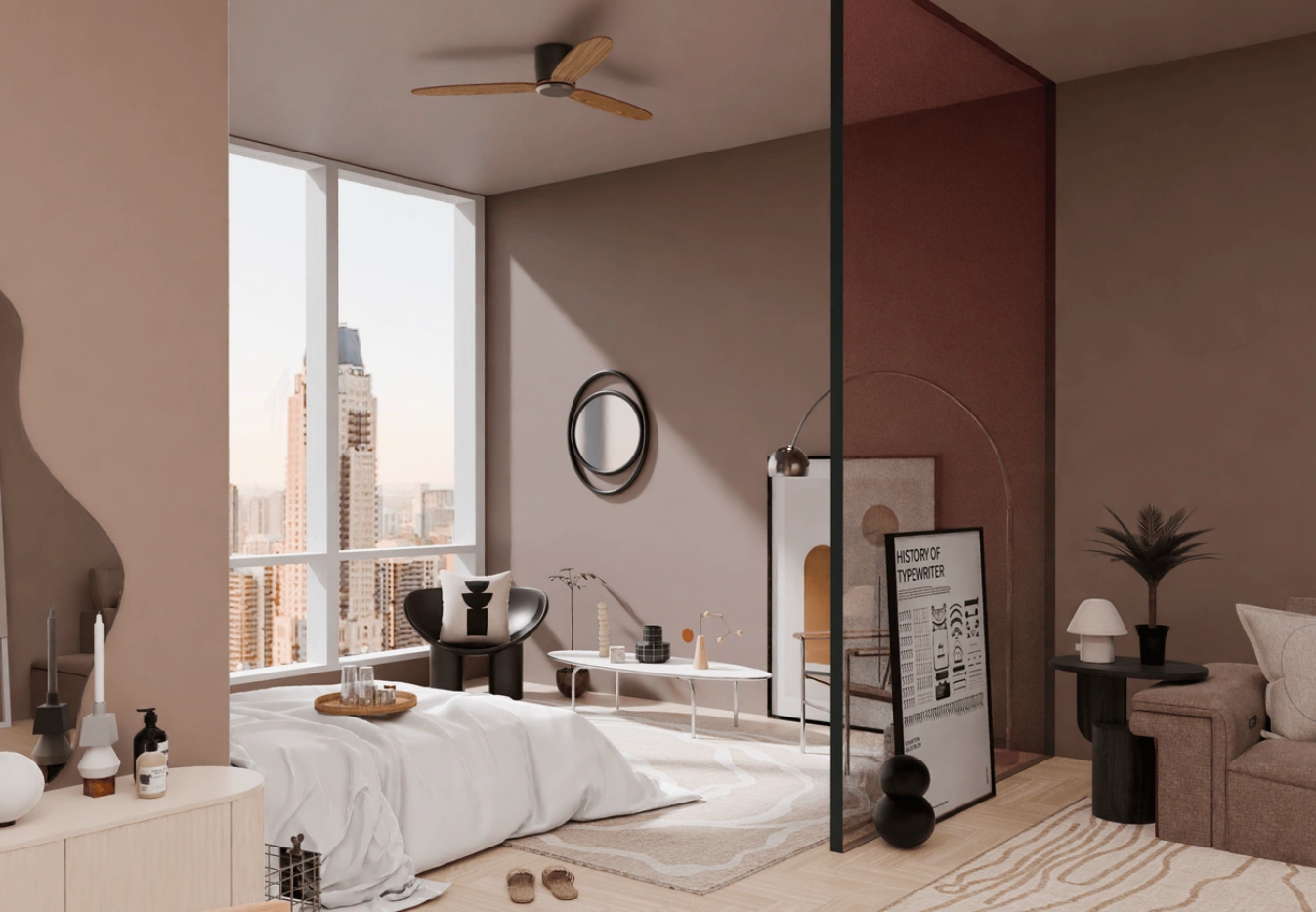
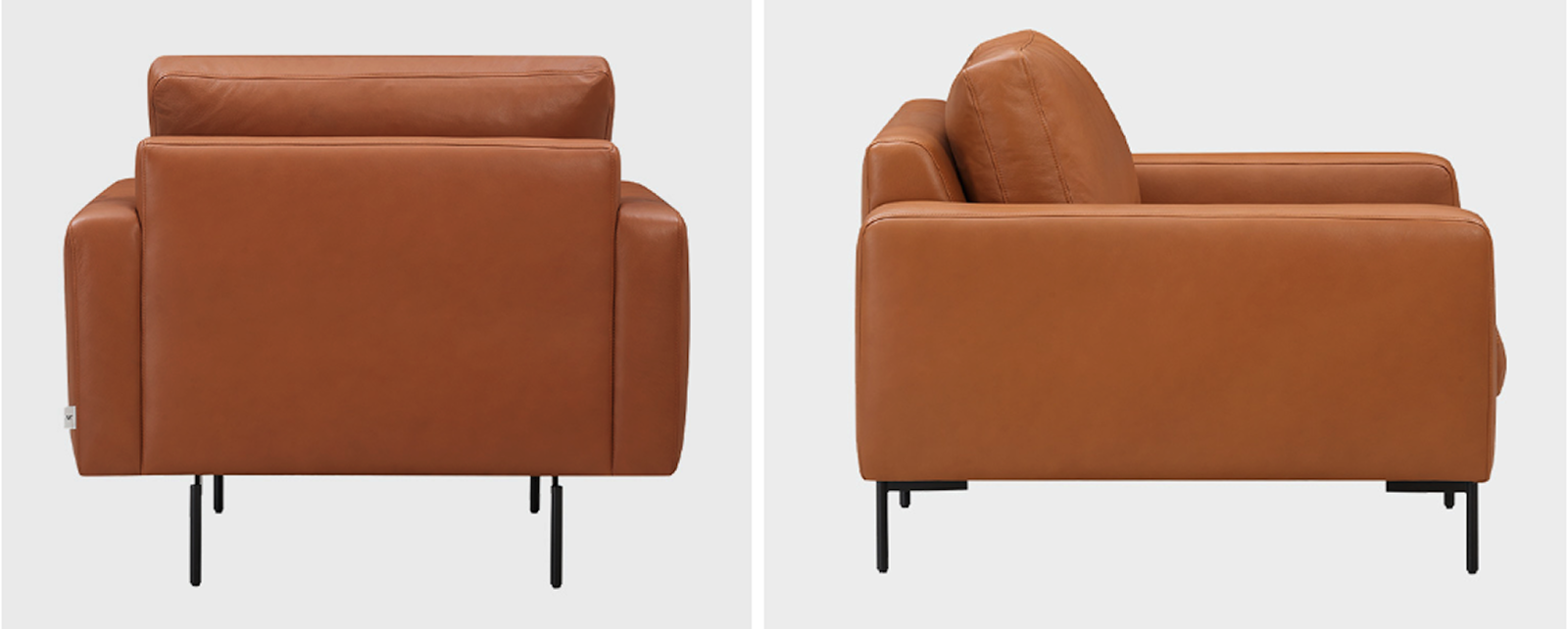
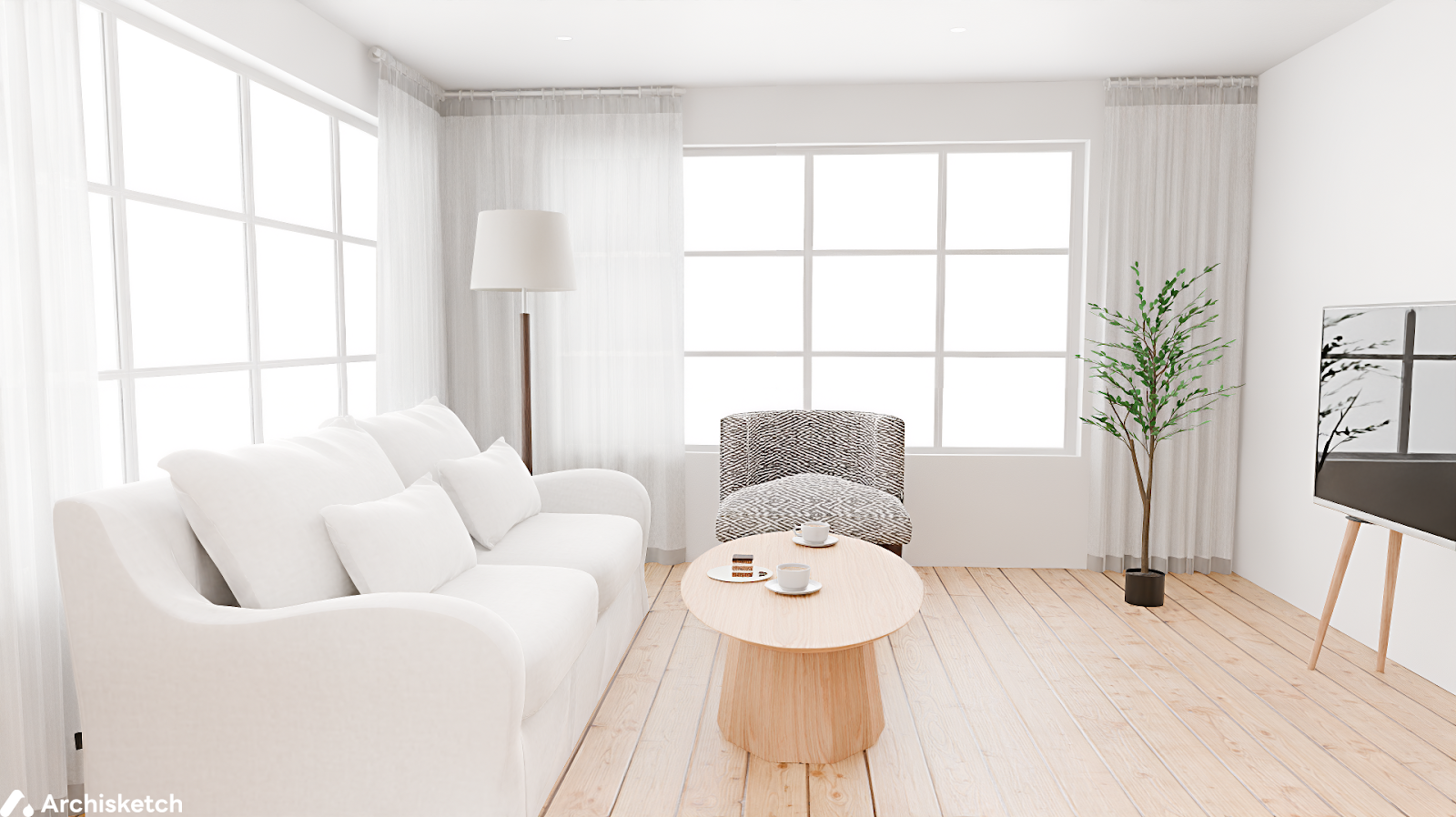
Because of this quality, many furniture and interior product brands use Archisketch instead of traditional product photography. The images below may look like real e-commerce photos, but they were entirely created using Archisketch.
This is especially important for single-product images on white backgrounds, where poor rendering quality becomes very noticeable. The image below accurately reflects real-life texture and detail.
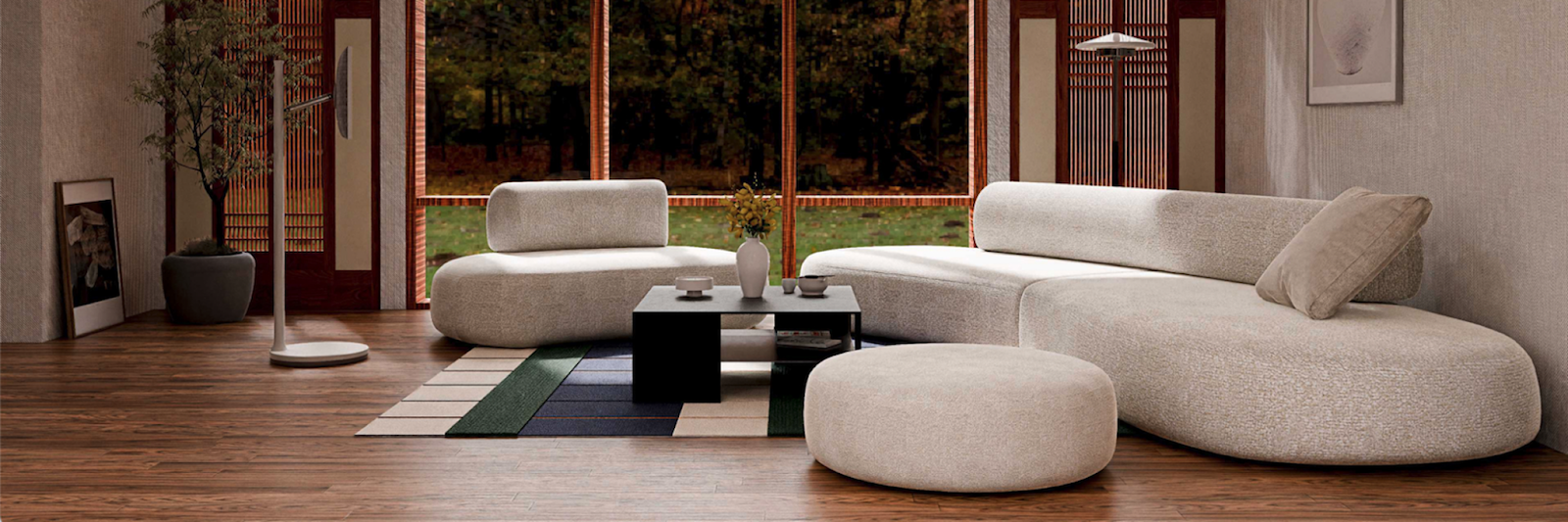
There’s another example worth noting. Without moving furniture into a physical studio or setting up a real interior, brands can create studio-like environments entirely in a virtual space.
5) Are there no major limitations for free users? ⭕
Archisketch allows free users to access all core features, including everything discussed above. This makes it especially suitable for users who want to fully explore the platform before making any decisions.
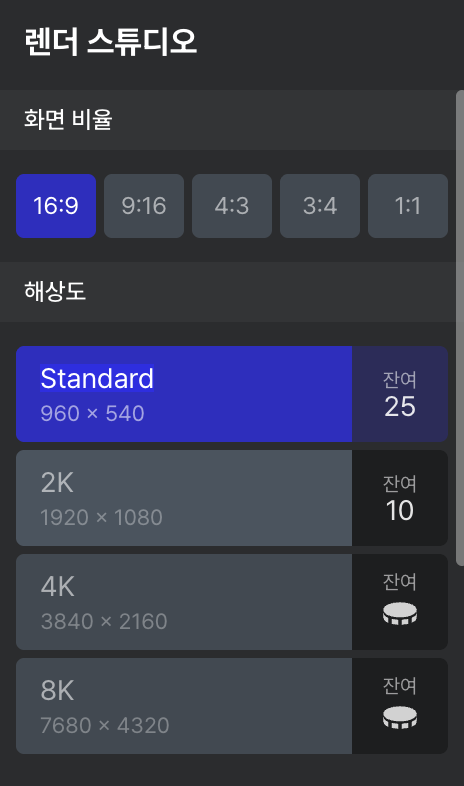
In the Render Studio, there are usage limits, but they are generous enough for practical use. Archisketch offers 25 free renders at standard resolution and 10 free renders at 2K resolution.
Most importantly, final rendered images created with the free version do not include watermarks. This means users can review high-quality, clean outputs without upgrading to a paid plan, which is a significant advantage compared to many other tools.
Summary of the Comparison
In this article, we compared three 3D interior design software tools based on five practical criteria. You can review the summary table below for a quick overview.
Archisketch Meets All Five Criteria
As you can see throughout this article, Archisketch goes beyond being simply “easy to use.” It is a tool that can be applied directly to real-world workflows, making it a strong candidate for the easiest 3D interior design software. It’s also a tool that actively supports customer purchasing decisions.
If you’re new to 3D interior design tools, a business professional who needs to persuade customers, or a practitioner who needs fast, high-quality results, Archisketch is highly recommended. Try it yourself using the links below—you’ll quickly see the difference in real workflows.