3D Interior Visualization That Converts 9 of 10 Prospects
Discover how 3D interior visualization helped an interior design company achieve a 90% conversion rate. Learn the key benefits.

What is your goal as you read this article? Stable revenue growth, improved design skills, and more—there are many different goals. But there is one common thread. It is the keyword “growth.”
No matter the direction, if your goal is to become a “growing interior design company,” you now need to use the right tool—3D interior visualization—as your assistant. You should choose a tool that not only stimulates customers’ desire to purchase, but also leads directly to signed contracts.
The secret behind 9 out of 10 customers saying “yes”: 3D interior visualization
The subject of today’s case study, Mr. Jongho Ahn, CEO of “Shinsegae Interior Design,” was in a very similar position to yours. He wanted to grow his revenue but struggled because he didn’t know exactly how to do it.
However, everything changed after just one decision—choosing Archisketch for 3D interior visualization.
- After adopting Archisketch, nearly 9 out of 10 clients now move forward with payment, resulting in dramatic revenue growth.
- Mr. Ahn even told us that after using Archisketch, he truly felt like he had encountered a “new world.”
So what exactly changed? Through Mr. Ahn’s case, let’s take a closer look at the real advantages of 3D interior visualization that genuinely help interior design companies grow.
Key Benefits of 3D Interior Visualization for Interior Design Companies
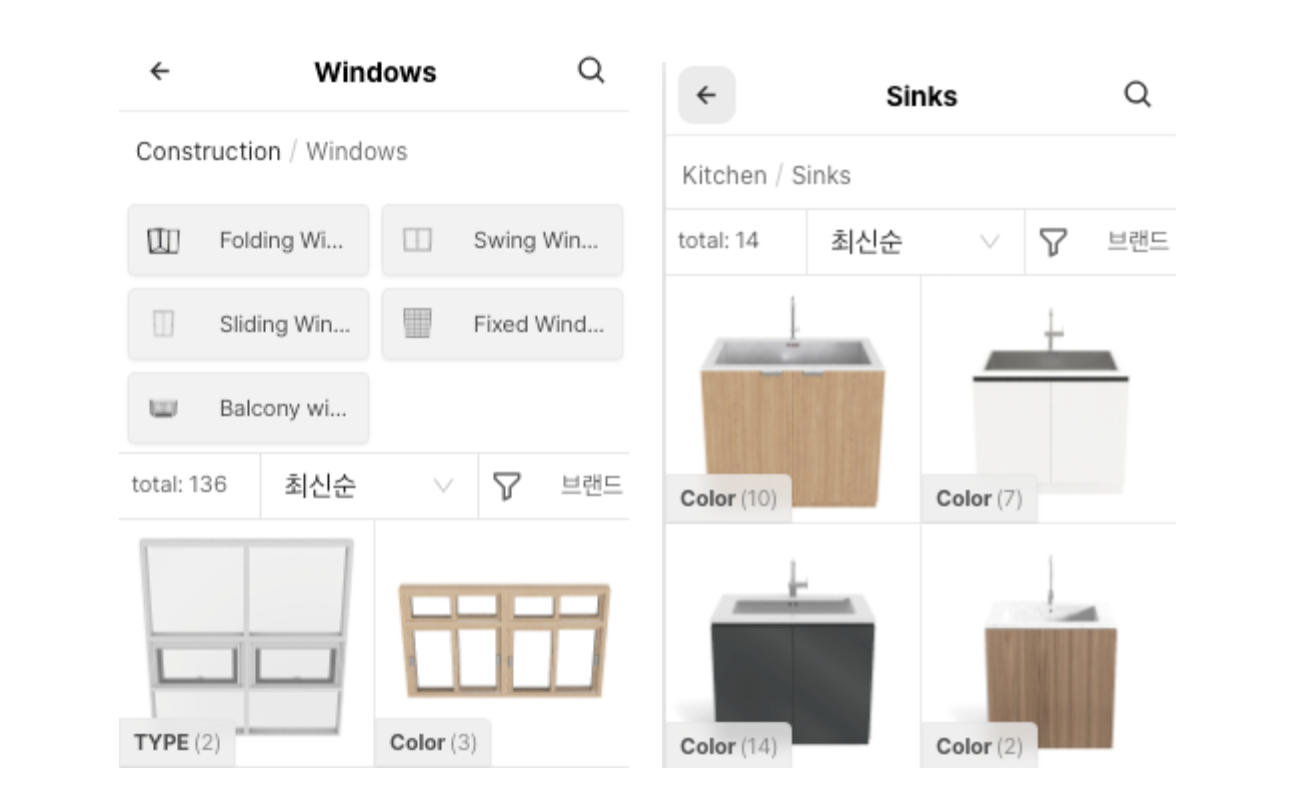
1) Instead of drawing everything one by one, you can use pre-built elements that are already prepared.
In fact, Mr. Jongho had previously been using a program called Home Design 5D. However, Home Design 5D had a critical drawback. Its library was extremely limited.
The lack of available furniture and material assets became a serious bottleneck in his workflow. As a result, Mr. Jongho had no choice but to draw kitchen chairs, tables, lighting, and many other pieces of furniture and props manually, one by one.
After drawing just a few items, three hours would already be gone. With client consultations and interior construction work piling up, the 3D program was now consuming even more of his time. The tool that was supposed to save time ended up slowing down the entire process.
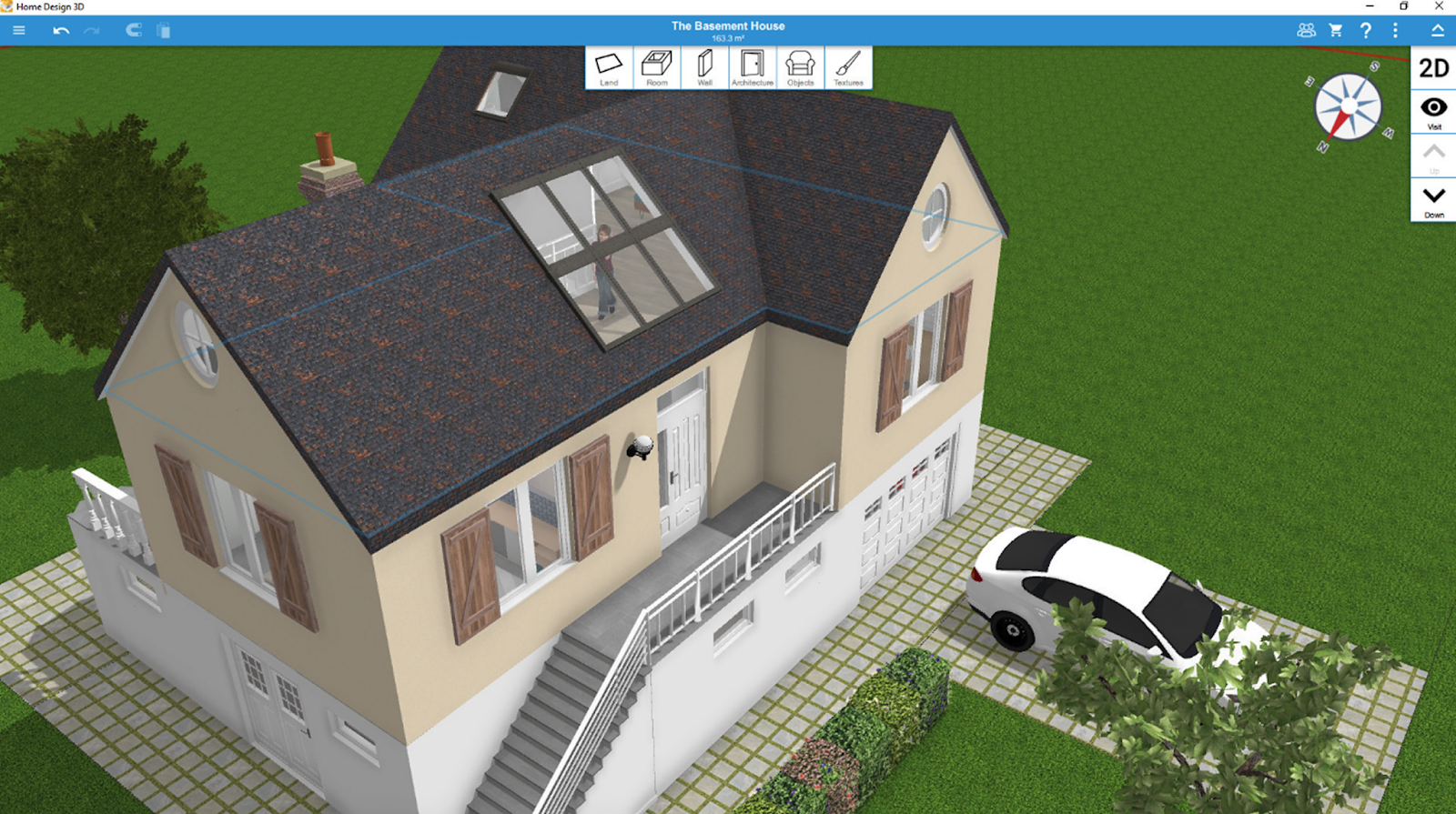
Fortunately, Mr. Jongho switched to Archisketch, a tool with a rich furniture library. With just a few clicks, he was able to place most furniture and materials.
Even if there wasn’t a piece that perfectly matched the exact dimensions or color, those details could be easily adjusted. This flexibility allowed him to design efficiently without compromising accuracy.
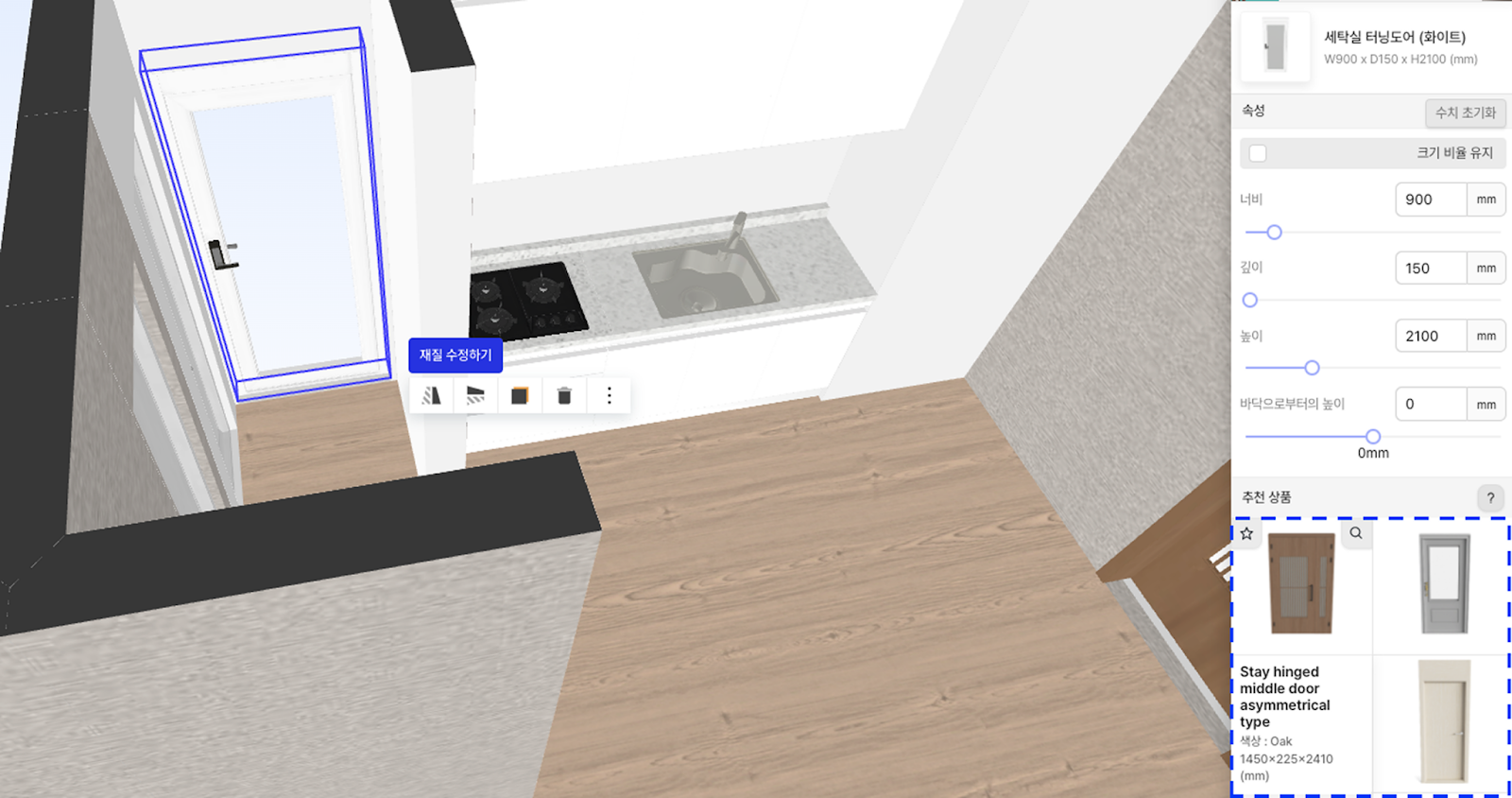
2) Even essential architectural elements are fully supported.
“Please change the wallpaper color.”
“What if we switch this furniture to a different one?”
After showing an interior concept through 3D interior visualization, designers often receive revision requests like these from clients. Handling these requests effectively can make or break the consultation experience.
So what is the best way to respond in this situation?
- “Sure, please wait a moment—I’ll redraw it and show you later,” and then coming back hours afterward.
- “I’ll show you right now,” and immediately making accurate, fast changes based on the client’s request.
The second approach is clearly the better one. With a fast and responsive 3D interior visualization tool, you can update designs in real time like this.
Mr. Jongho shared that after switching to Archisketch, his work speed improved significantly, allowing him to reflect client feedback much more quickly. Faster revisions led directly to smoother communication and higher client satisfaction.
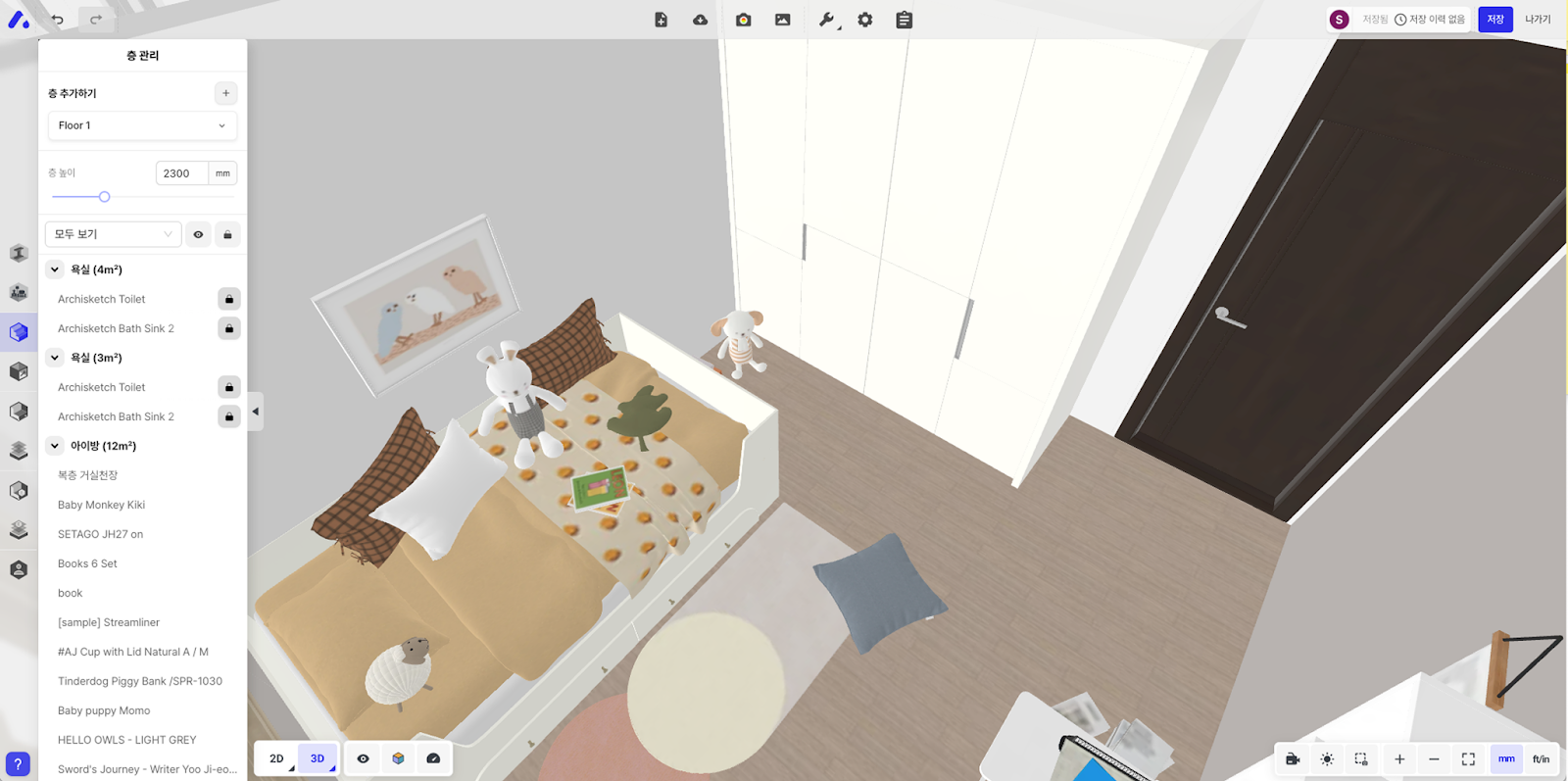
Some of you may be wondering just how fast it really is. Mr. Jongho was able to sit face-to-face with clients and modify the interior design in real time during consultations.
- The consultation sessions lasted about one to two hours, and all requested changes were completed within that time.
- Real-time design adjustments turned consultations into confident purchasing moments.
3) A 3D viewer that feels like walking through a real home
“It looks fine on drawings or in 2D, but I’m not sure how this will actually look once it’s built…”
This is a common concern among clients. Clients often feel uneasy because it’s difficult to truly sense the scale and atmosphere of a space when viewing only floor plans or 2D images. Flat visuals make it hard to imagine how a space will feel in real life.
As clients explore the virtual space themselves, they can naturally think, “This sofa feels a bit large in this spot,” or “I actually really like this wallpaper color when I see it like this.” It delivers a level of realism that 2D visuals simply cannot provide.
These experiences reduce customer anxiety and increase confidence. This is no longer vague imagination—it’s a real “experience.”
4) 3D rendering that looks just like the real thing
3D interior visualization is important, but rendering quality is even more critical. Rendering is the method that shows interiors in the most realistic way possible.
But what if the rendering quality is poor, no matter how good the design is? It becomes difficult to build trust with clients. High-quality rendering is essential for earning customer trust.
- A good 3D interior visualization tool reflects lighting and even time of day. The colors of an interior subtly change between morning sunlight and evening lighting.
- Because these details create the impression of a true professional, rendering quality is extremely important. Attention to lighting and time-of-day details signals professional expertise.
Your clients may react just like this.
“This isn’t a photo, is it?”
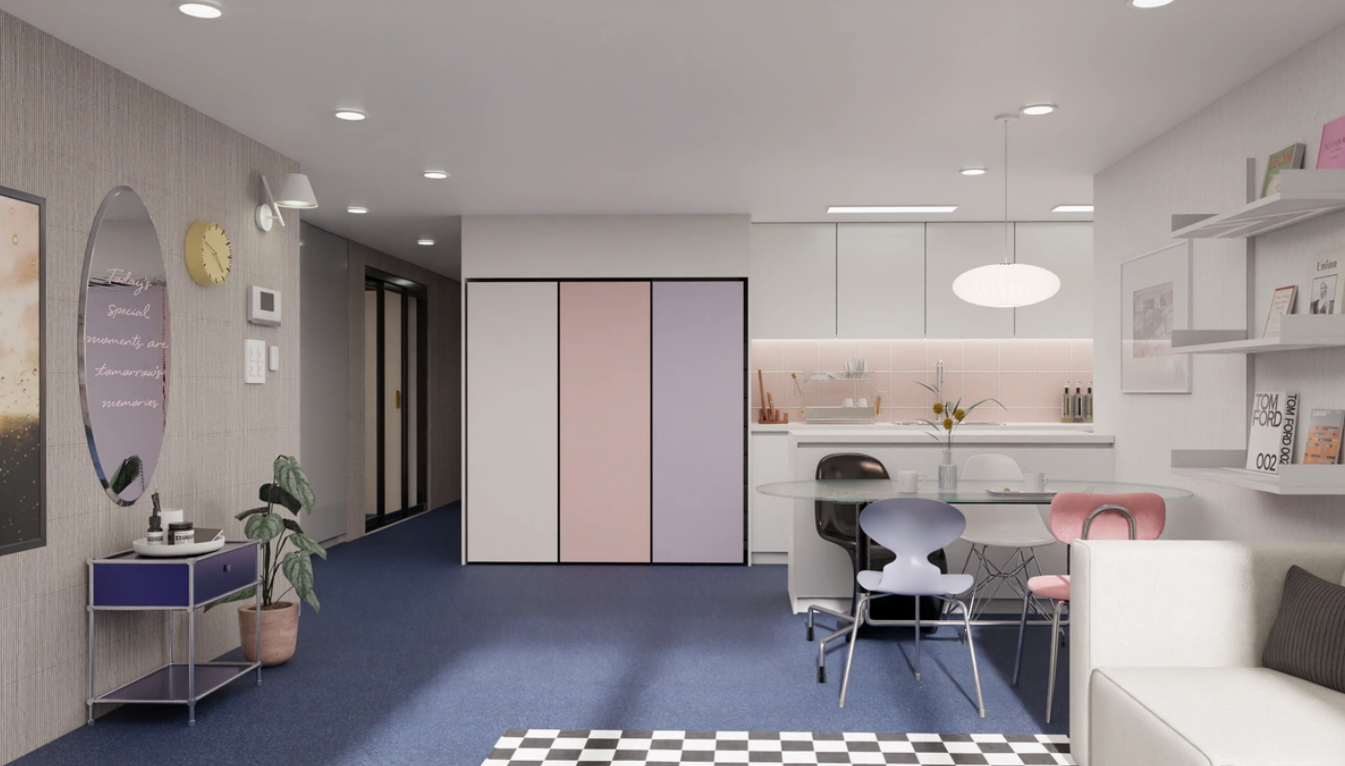
Realistic rendering naturally leads to moments of amazement. In fact, Mr. Jongho’s clients also said they thought the rendered images were real photographs. That’s how realistic they felt. The level of realism was convincing enough to be mistaken for real photos.
However, one important thing to remember is that not every tool that offers rendering is a good tool. To create truly realistic renderings, high resolution is essential. Blurry or awkward visuals can actually have the opposite effect. Poor-quality rendering can undermine trust instead of building it.
Stronger persuasion in sales and marketing
Using Archisketch doesn’t just help with interior design—it also supports other areas of the business, such as sales and marketing. 3D interior visualization becomes a powerful asset beyond design itself.
“In any business, you should spend 50% of your time building the product and 50% of your time marketing it.” – Gabriel Weinberg, founder of DuckDuckGo and author of Traction
So what lesson can we take from this? It means that sales and marketing—how effectively you communicate your product—are just as important as having a great product.
- Many people spend over two hours trying to persuade a client. And yet, the contract conversion rate remains painfully low. All they hear is, “I’ll think about it,” and the client never comes back.
- With 3D interior visualization, you can easily increase your sales conversion rate—just like Mr. Jongho did. After adopting Archisketch, the biggest change he noticed was improved “persuasive power.” In the past, he had to rely on flat floor plans and verbal explanations. Now, he can show vivid, realistic 3D images instead.
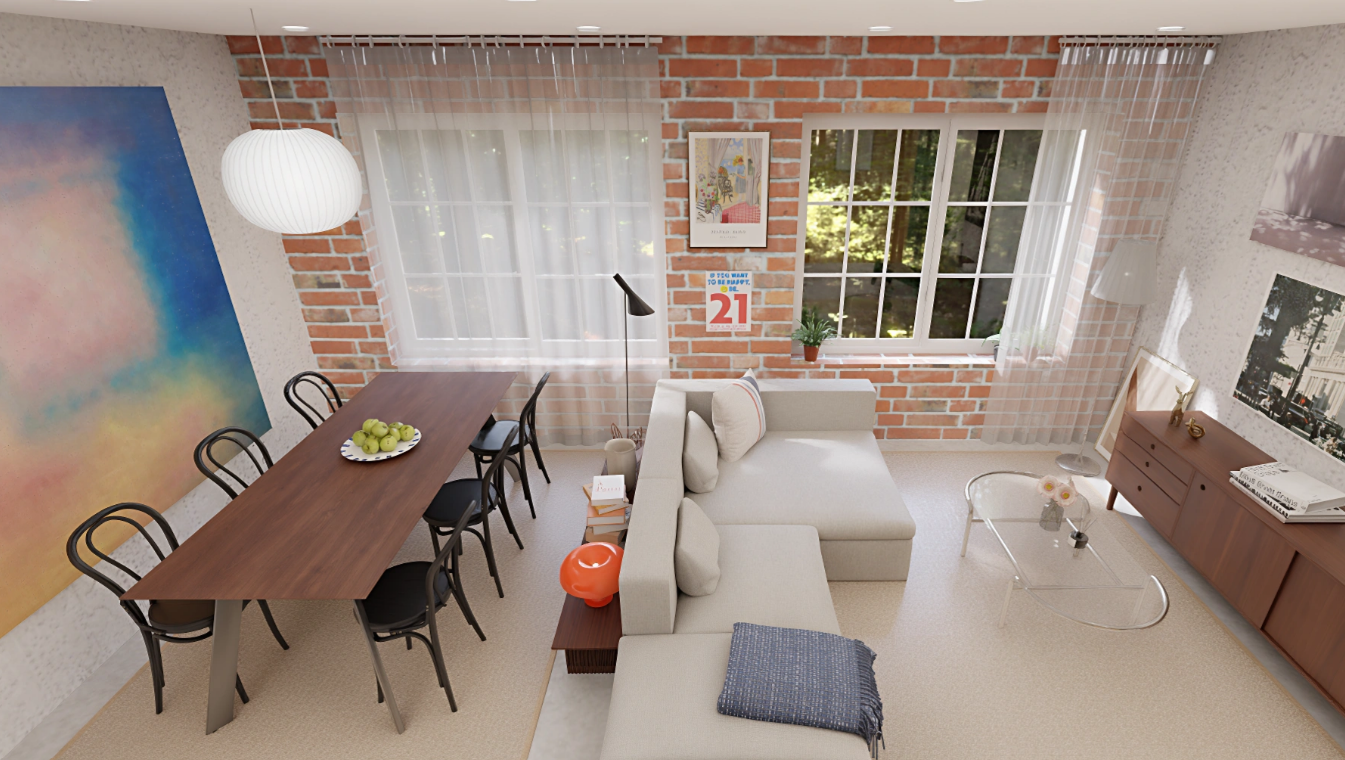
Because it’s no longer vague imagination—clients can actually see and confirm it. Mr. Jongho now turns 9 out of 10 potential clients into paying customers.
Show attractive and trustworthy results through 3D interior visualization. It becomes much easier to earn your customer’s trust.
Reducing risks during construction
“This isn’t what I imagined.”
This is the last thing any interior company wants to hear after construction is complete.
Receiving a complaint like this after all the work is finished can be a nightmare. It often leads to unexpected rework or conflict with the client—situations most interior companies want to avoid.
Don’t pay right away. Experience Archisketch for free first.
As you’ve seen, Mr. Jongho used Archisketch to turn 9 out of 10 prospects into signed contracts. However, if you’re reading this, you may be thinking something like this. Success stories naturally lead to questions about real-world fit.
“Sounds great—but will it work for our company?”
This is a completely reasonable concern. Even if a tool works well for other companies, it’s useless if it doesn’t fit your specific situation. If it’s too difficult to use, your team may struggle to adapt. And the cost can also feel like a heavy burden.
- That’s why Archisketch has lowered the barrier as much as possible so you can check it for yourself. Try it for free in real work situations. There are very few limitations. See firsthand whether it’s truly useful in practice, whether your team can adapt easily, and how your customers respond.
- Even after just a few days, you’ll start to notice the difference—how much faster your workflow becomes, how much smoother customer consultations feel, and how much more accurate your estimates are. These are changes that are difficult to fully understand without actually using the tool. The impact becomes clear only through hands-on use.
Mr. Jongho didn’t have absolute confidence from the beginning either. He simply tried it—and then realized, “This is it.” You’re no different. Try it yourself and decide. The best decisions are made after firsthand experience.
Even at this very moment, your competitors are searching for better tools and persuading customers more quickly. While you hesitate, your customers may move on to them. Try it quickly—and then make your decision. (Quote)