3D Furniture Visualization: 4 Ways to Get 200% More from It
Three powerful ways 3D Furniture Visualization turns customer hesitation into confident purchases — in-store, online, and through AR.

What Is 3D Furniture Visualization?
It's a technology that lets customers explore products in lifelike 3D — without needing physical furniture on hand — and even simulate how pieces will look and fit when placed in their actual living spaces.
Why Is 3D Furniture Visualization So Effective for Furniture Brands?
Because it's the technology that eliminates the customer's hesitation.
Furniture is fundamentally different from other consumer products. Even with relatively affordable brands like IKEA, customers hesitate for a long time before finally clicking "buy."
- The reason is clear. No matter how affordable it may be, furniture is still a bigger investment than most everyday purchases — and once it's in your home, the sheer size makes returns a real hassle.
- That's why consumers become extremely cautious when buying furniture, weighing their options from every possible angle.
Here's the critical point: the key factor in a furniture purchase isn't simply price or quality. What customers really want to know comes down to two questions:
"Will it actually look good in my home?"
"Will it actually fit in my space?"
If they can't answer these two questions with confidence, they won't pull the trigger — no matter how much they love the piece.
And this is exactly where 3D furniture visualization proves its power. In fact, even IKEA offers online planning to solve this exact problem — that's how impactful this technology is.
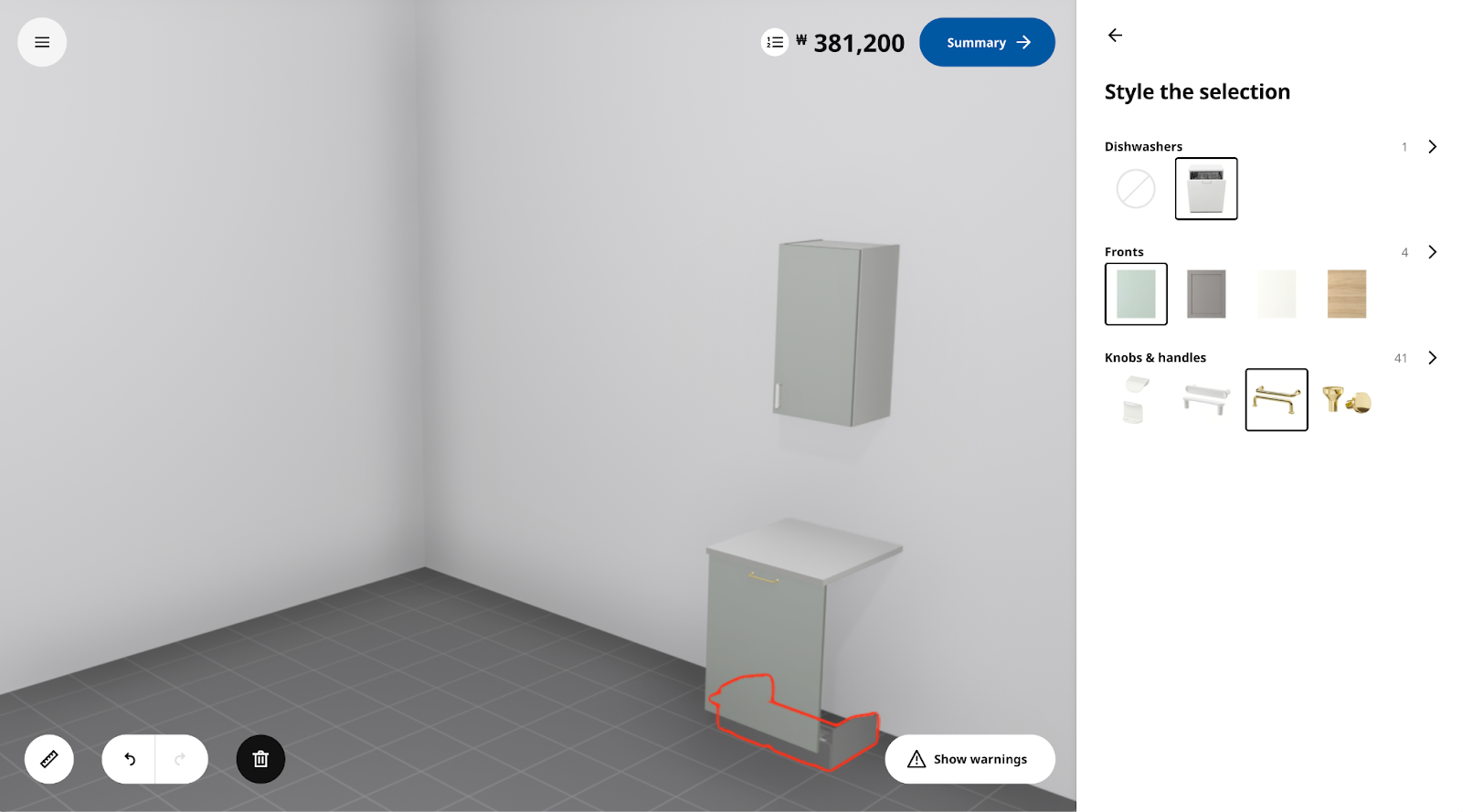
Archisketch's 3D furniture visualization tool goes beyond the furniture itself — it recreates the customer's actual home in 3D.
- With just a single floor plan and one known measurement, the system automatically calculates the remaining dimensions and builds the space.
- Wall finishes, flooring materials, and lighting conditions can all be configured to closely match the customer's real home — so what they see on screen feels like their own living space.
Once this 3D environment is built, customers can place furniture within it and get clear answers to both questions: "Will it look right?" and "Will it fit?"
They can see for themselves whether a sofa along the living room wall leaves enough room to walk by, or whether pulling out a dining chair is comfortable once the table is in place.
4 Ways to Get 200% More Out of 3D Furniture Visualization as a Furniture Brand
If you're a furniture brand looking to leverage 3D Furniture Visualization, we encourage you to put all three of these strategies to work — and watch them drive real sales growth. You'll find that the technology can be applied across far more customer touchpoints than you might expect.
1. Boost Purchase Conversion During In-Store Consultations
If your brand meets customers face-to-face in a physical setting, this one's for you.
While displaying every product in every color is the dream, it’s simply not realistic for most showrooms. Floor space has its limits. Brands running smaller showrooms know this challenge all too well.
When a customer visits your store and wants to see a different color during a consultation, show them Archisketch instead. You can present even products that aren't physically on display — all through detailed 3D models.
And as mentioned earlier, Archisketch recreates a customer's actual home in 3D based on their floor plan, then lets them place furniture right inside that space. Here's how that transforms the consultation experience:
- The quality of your consultations changes completely compared to before. Rather than trying to convince a customer with words alone about why a piece is great, a single simulation resonates far more powerfully — because it feels real.
- If you're curious about how uploading a floor plan and using Archisketch actually works, check out this article!
- When it comes to sizing concerns, customers need accurate spatial dimensions to judge whether a piece of furniture will physically fit in their home. But realistically, most consumers don't know every measurement of their living space.
- With Archisketch, all you need is one floor plan and a single known measurement. The system automatically calculates the remaining dimensions based on proportional ratios. This means you can generate an accurate 3D interior — and your customers can make far more informed purchasing decisions.
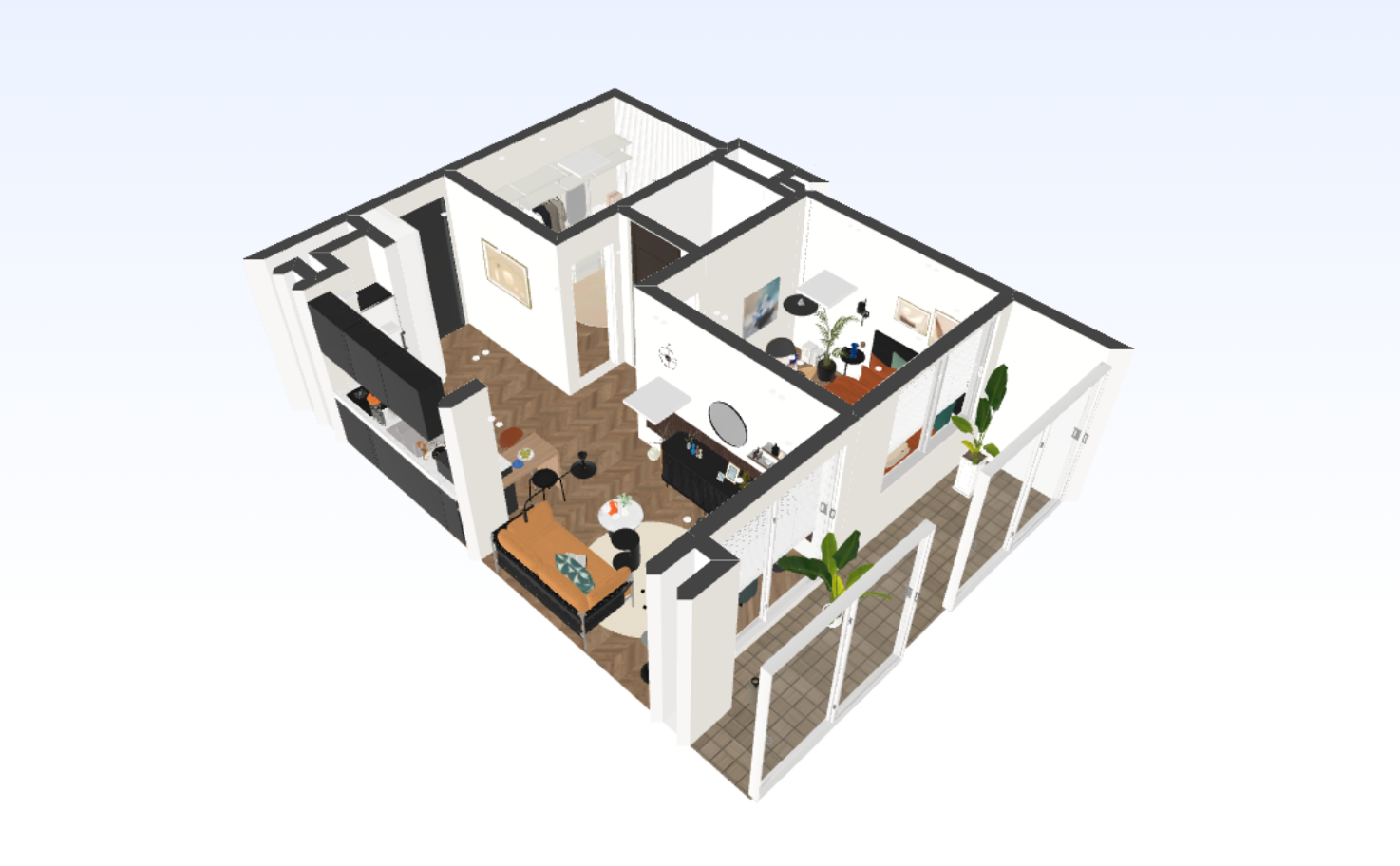
2. Let Customers Place Furniture Directly in Your Online Store
How can you bring this to your online furniture shopping experience? Integrate Archisketch into your product detail pages. A 360-degree rotation feature for individual furniture pieces is great — but this takes it a step further by showing how furniture actually looks placed inside a real home.
Customers get an experience that feels like inspecting furniture in person. Plus, you can convey the kind of depth and detail online that a single front-facing product photo could never capture.
What's more, this 3D visualization solution can be integrated directly with your existing e-commerce system. As shown in the image below, clicking the + button takes shoppers straight to the product detail page in your furniture store.
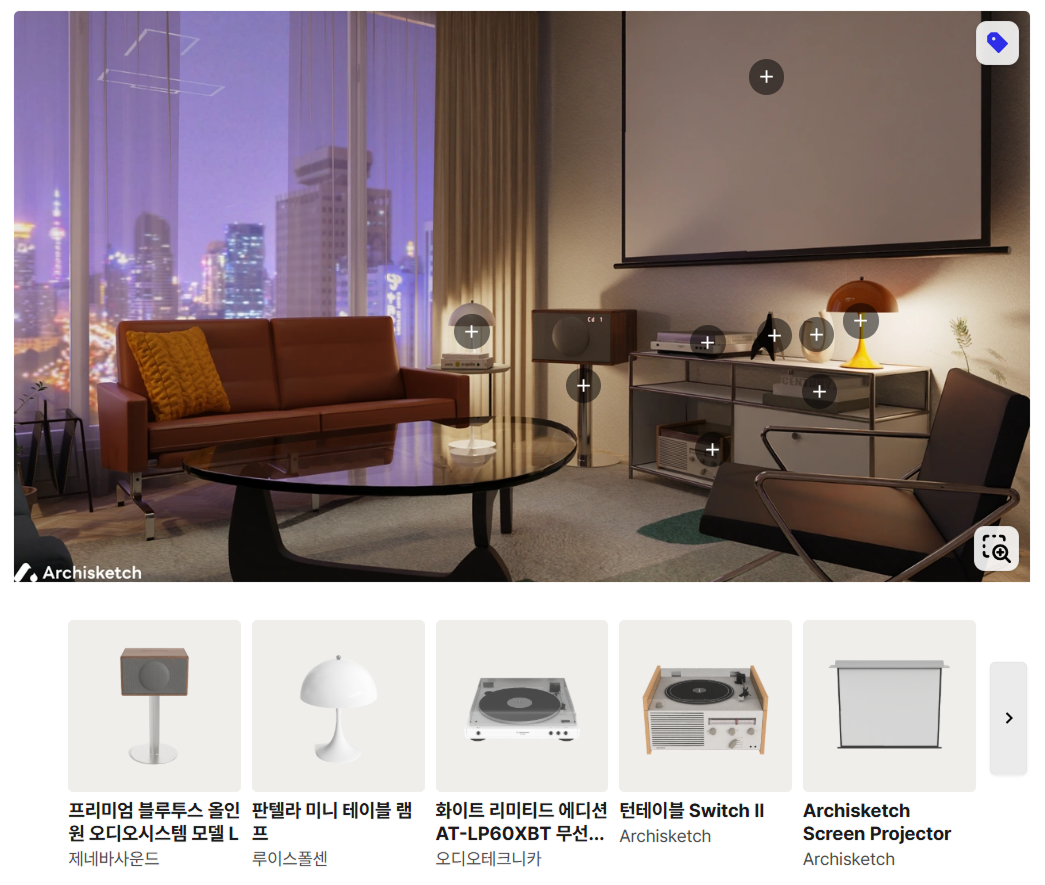
3. Replace Furniture Photography with 3D Furniture Visualization
Traditional furniture photography can cost thousands — even tens of thousands of dollars per shoot. But since those images end up in proposals, portfolios, and online stores, they play a major role in defining your brand image — so cutting corners isn't an option.
- If you want to reduce costs without sacrificing quality, try a 3D furniture visualization tool. As you can see in the images below, you can generate clean white-background product shots like the first image, or styled, room-setting visuals like the second.
- To edit photos like these, most people turn to Photoshop. But Photoshop has a steep learning curve and, perhaps more importantly, is resource-intensive. Archisketch is built exclusively for furniture companies. It's lightweight and intuitive to use.
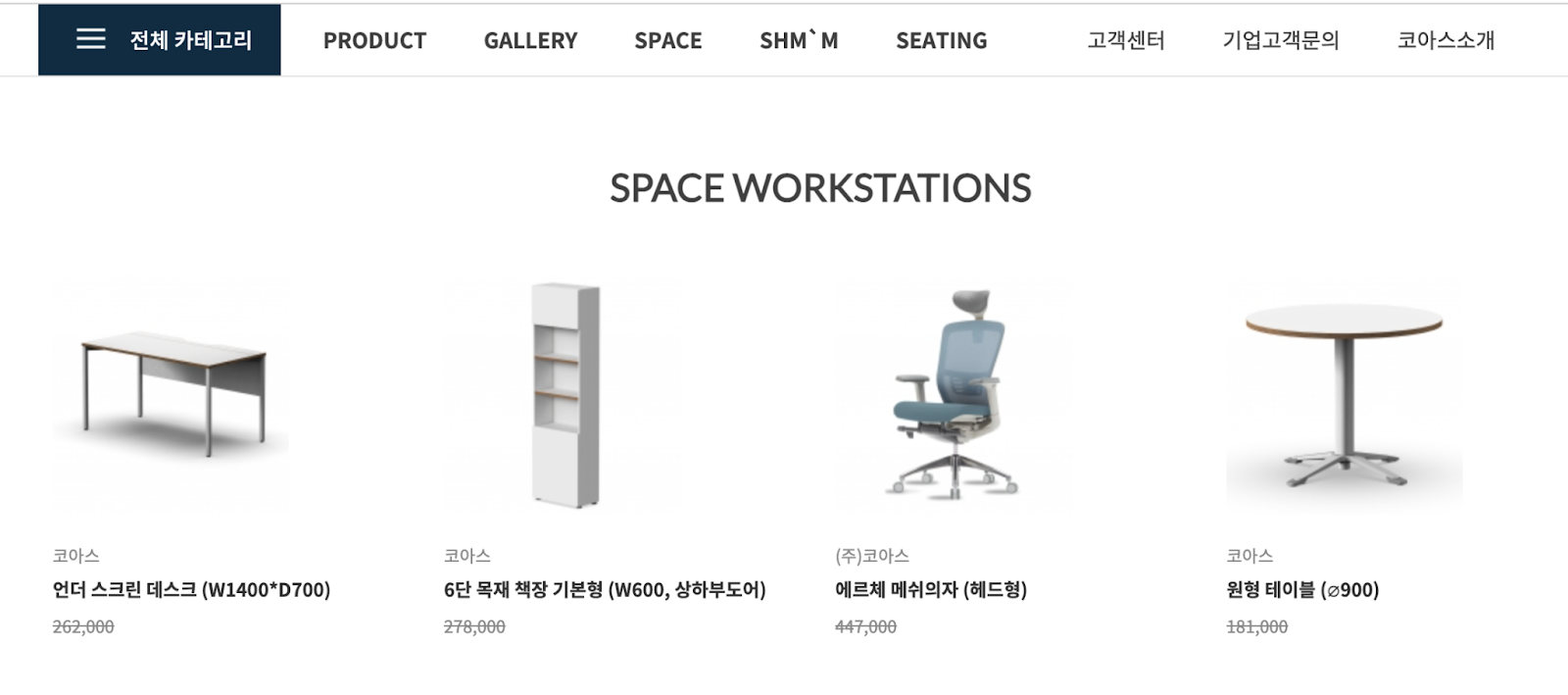
4. Take It Even Further with AR Technology
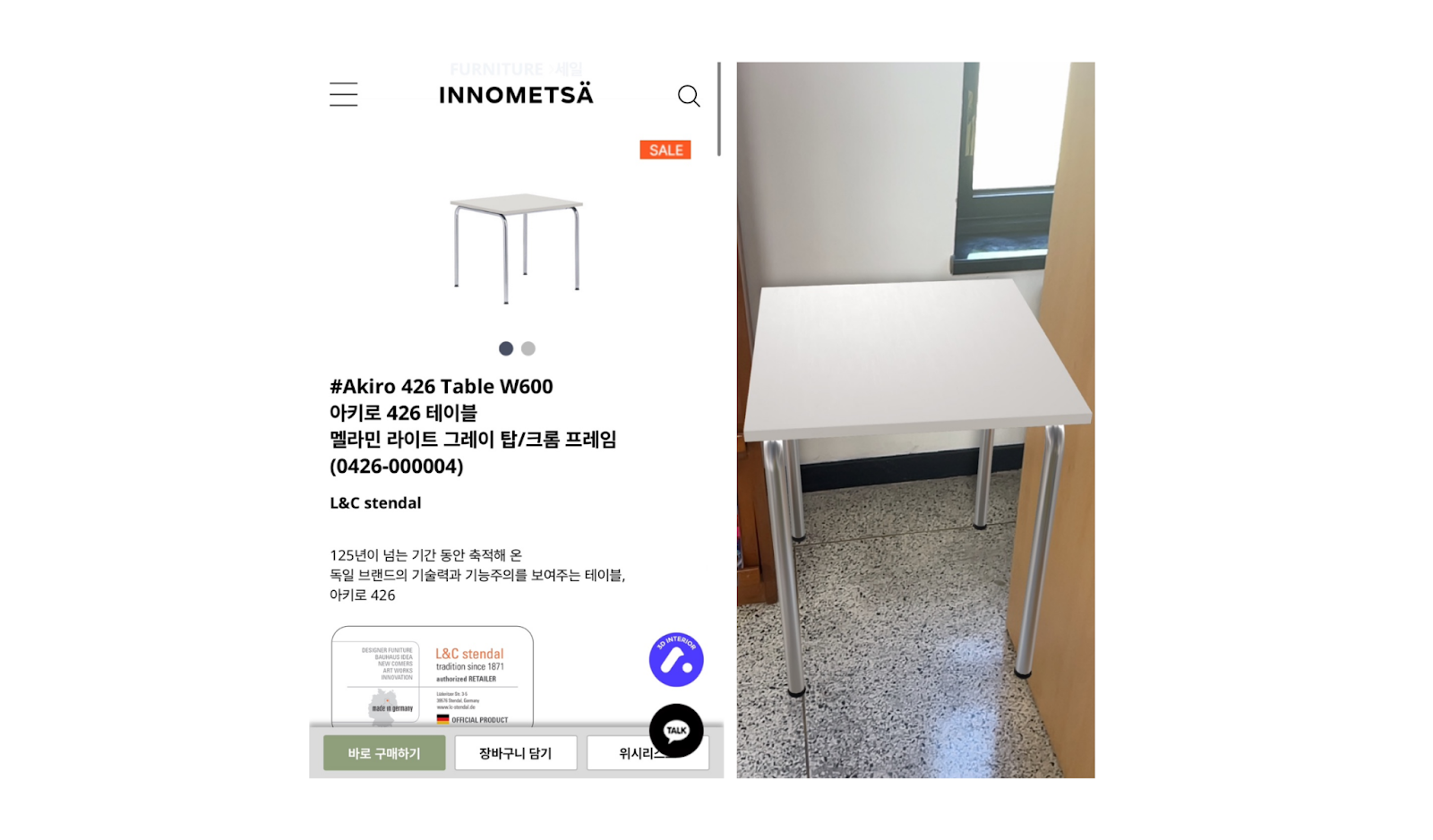
Archisketch combines 3D furniture visualization with AR technology. It goes beyond placing furniture in a virtual room — it lets customers place 3D furniture models directly into the real spaces where they live. Let's take a look at how Archisketch client Innometsa uses the AR feature:
Customers scan a QR code on the product detail page, then use their smartphone camera to view their own room.
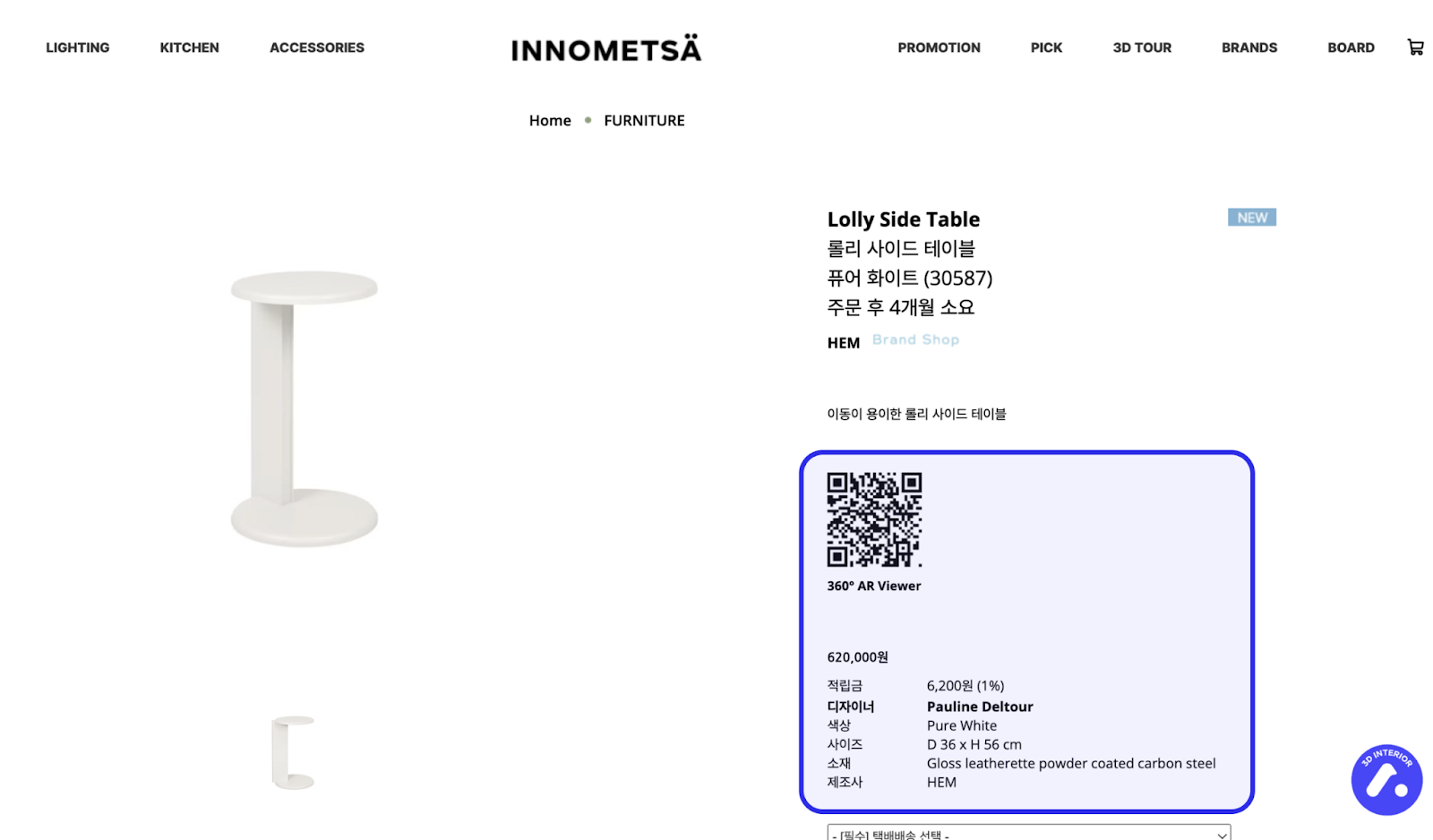
From there, they can see a 3D furniture model — built to the product's exact real-world dimensions — placed right in their actual space.
This is exactly what 3D Furniture Visualization delivers — a solution that tackles this challenge head-on.
The impact of this experience is backed by data. According to Google, over 98% of consumers who used AR while shopping said they found it helpful. That's a near-universal positive response — proof that the ability to "place it and see it for yourself" has a significant impact on buyer confidence.
Consumer expectations are shifting. Shoppers are evaluating furniture more carefully than ever — so what's your strategy? When the way people see furniture changes, the way you sell it has to change, too. Meet the rising expectations of your potential customers with Archisketch.
If you'd like to learn more about Archisketch's 3D furniture visualization solution, don't hesitate to reach out.
Frequently Asked Questions
Q. If we use Archisketch, do we have to create the 3D furniture models ourselves?
Not at all. When you sign a contract with Archisketch, our team handles the 3D modeling for you — producing highly detailed, precision-crafted models of your furniture. You don't need any in-house 3D production capabilities whatsoever.
Q. Is it difficult to use? Do you provide training?
Archisketch is a B2B service, but it's built with an interface intuitive and simple enough for everyday consumers to use. On top of that, we provide structured onboarding training for every contracted partner — so you can adopt the platform with zero friction.
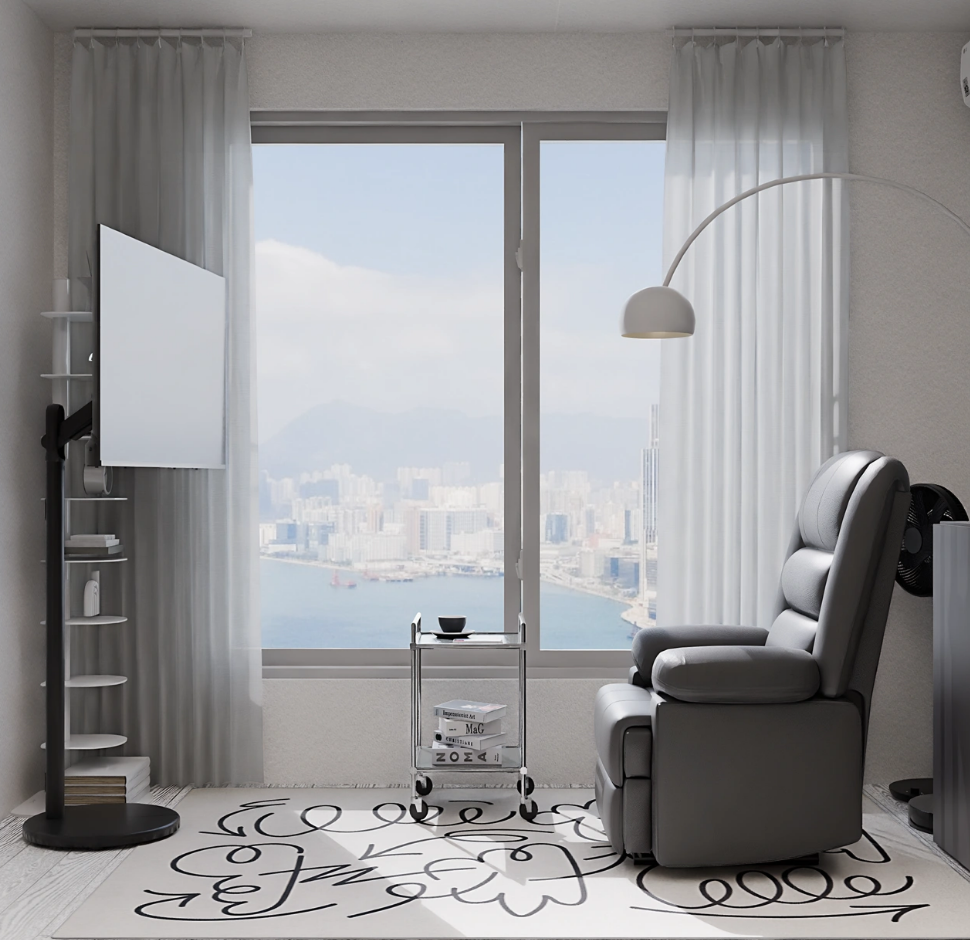
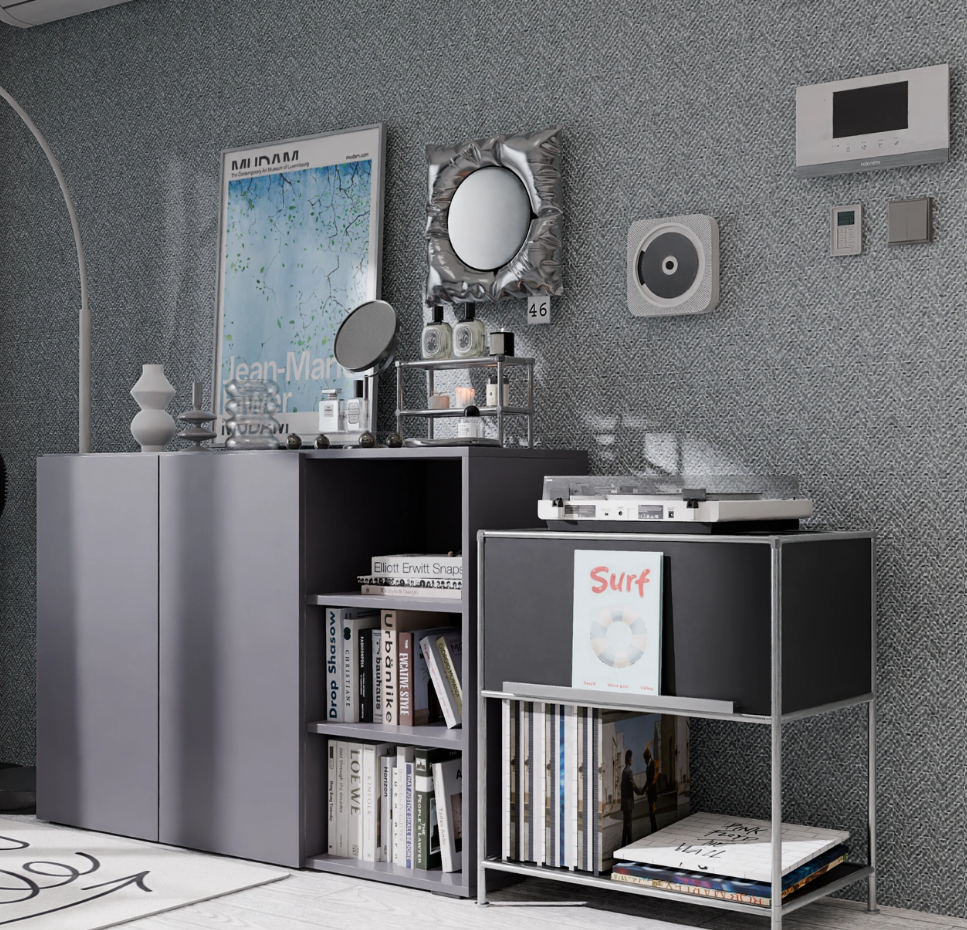
Q. It's 3D — won't it look unrealistic?
Rather than explain it in words, let us show you. Take a look at the 3D-rendered images below — they speak for themselves when it comes to the level of realism Archisketch delivers.
Q. Can I try Archisketch for free?
Absolutely — head to our website and start using it for free right away. Some premium rendering quality options may require a paid plan, but the vast majority of features — including furniture placement and standard rendering — are available at no cost.